The SenseEDGE 65 Inch Interactive Flat Panel is an AI-powered smart interactive whiteboard designed for schools, colleges, coaching institutes, and corporate meeting rooms. Featuring a 4K Ultra HD display, Google EDLA certification, Android 16 operating system, and Windows 11 OPS support
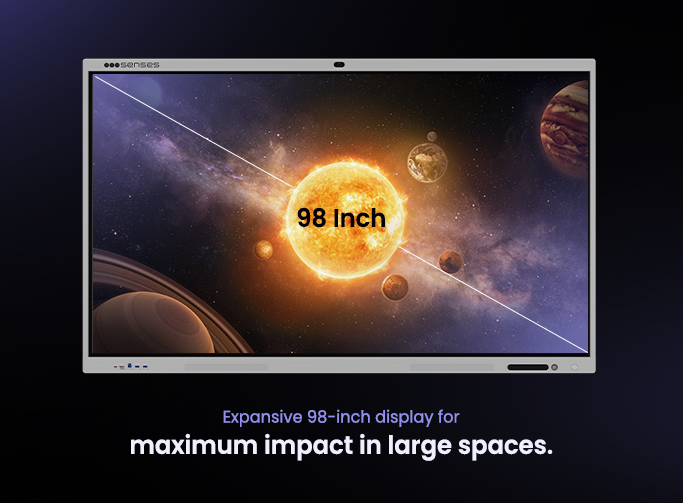
SenseEDGE 65 Inch Interactive Flat Panel is a 65-inch 4K Android 16 interactive display with Google EDLA certification and Windows 11 OPS support. Designed for smart classrooms, higher education institutions, coaching centres, and corporate meeting rooms, it combines an interactive touchscreen, whiteboarding tools, educational software, wireless screen sharing, and AI-powered collaboration features in one device.
With SenseBoard™ and Senses AI, users can create interactive lessons, annotate content in real time, access Google Workspace applications, use 3D educational models, conduct presentations, and collaborate wirelessly across multiple devices. The panel helps institutions build engaging digital classrooms, improve teaching efficiency, and enable seamless communication and collaborative learning experiences.
Specification
SenseEDGE 65 Inch Interactive Flat Panel — Full Specifications
Specification
65″ Interactive Flat Panel
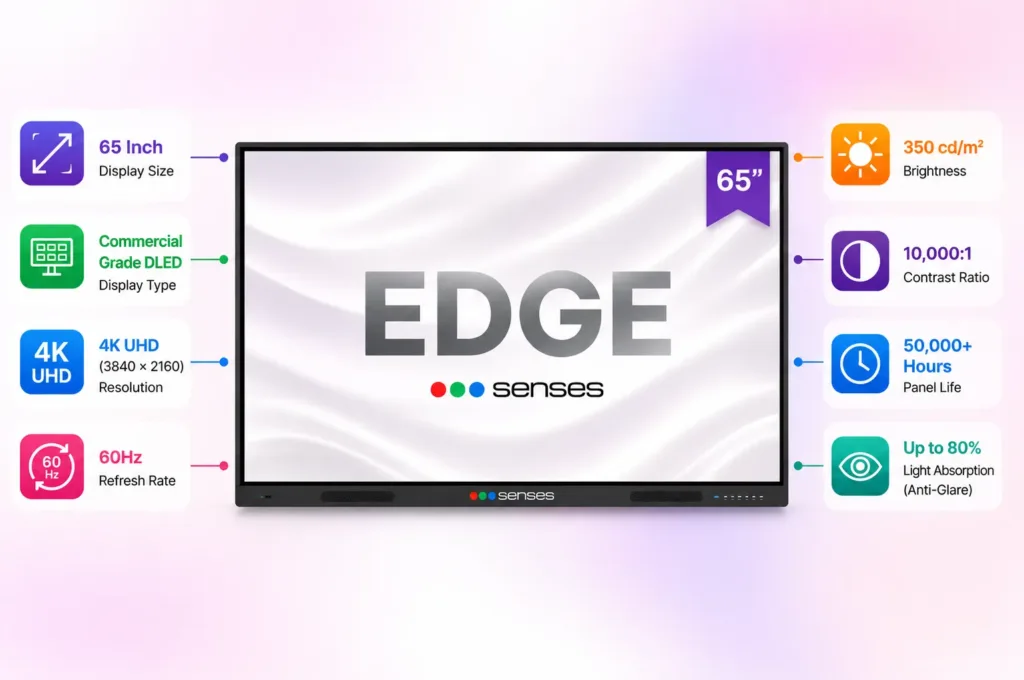
Display Size
65 Inch
Display Resolution
4K Ultra HD (3840 × 2160)
Display Type
Commercial Grade DLED
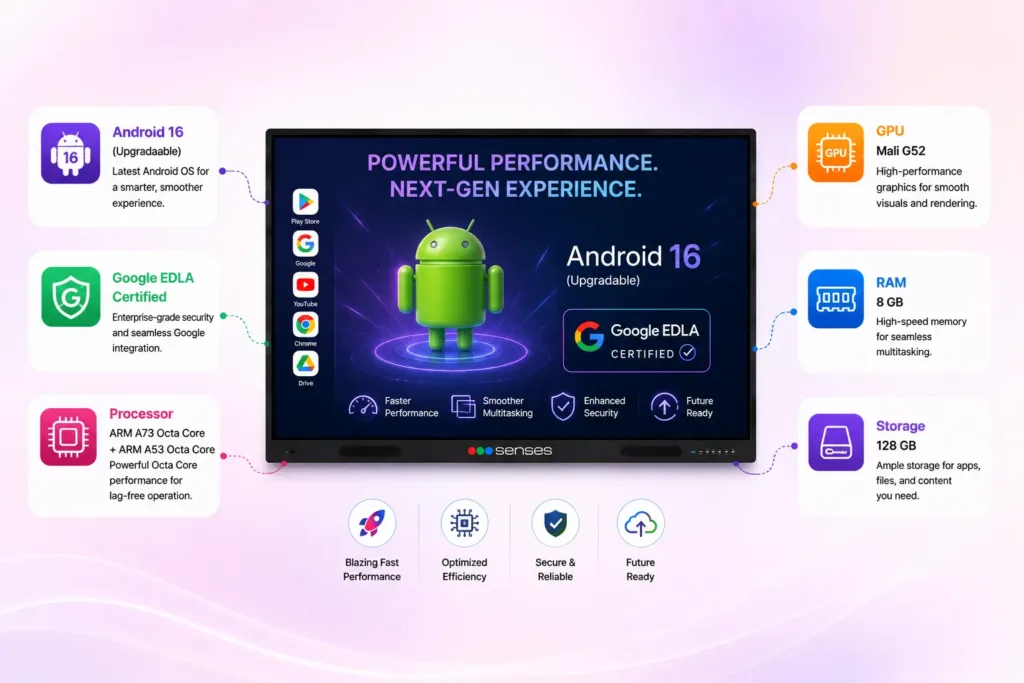
Operating System
Android 16 + Optional Windows 11 OPS
RAM & Storage
8GB RAM + 128GB Storage
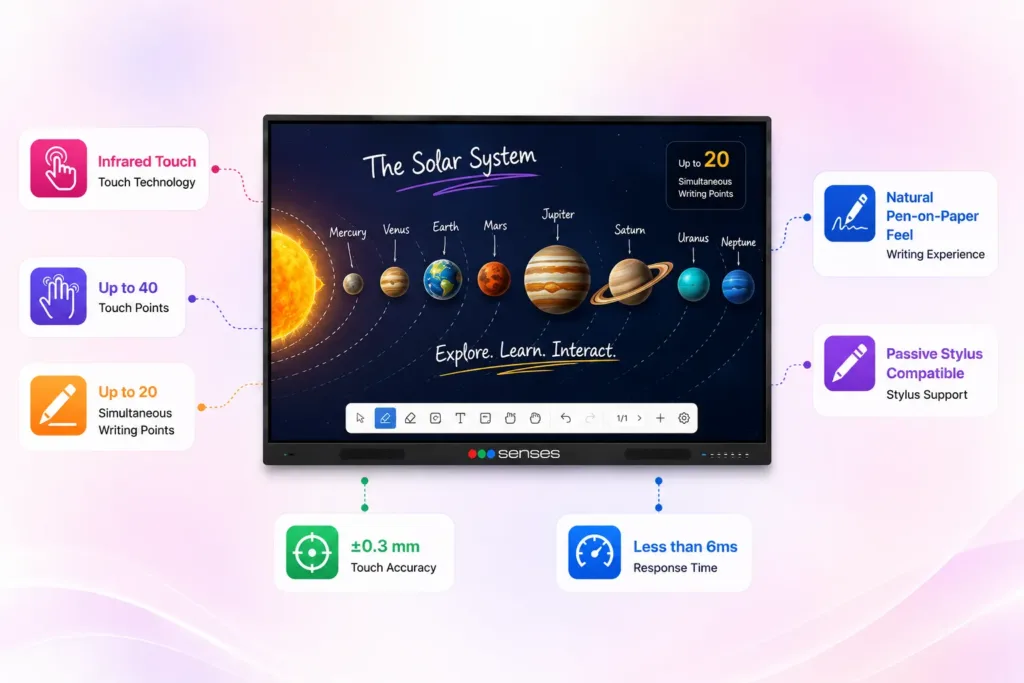
Touch Technology
Infrared Multi-Touch
Touch Points
Up to 40 Touch Points
Writing Points
Up to 20 Simultaneous Writing Points
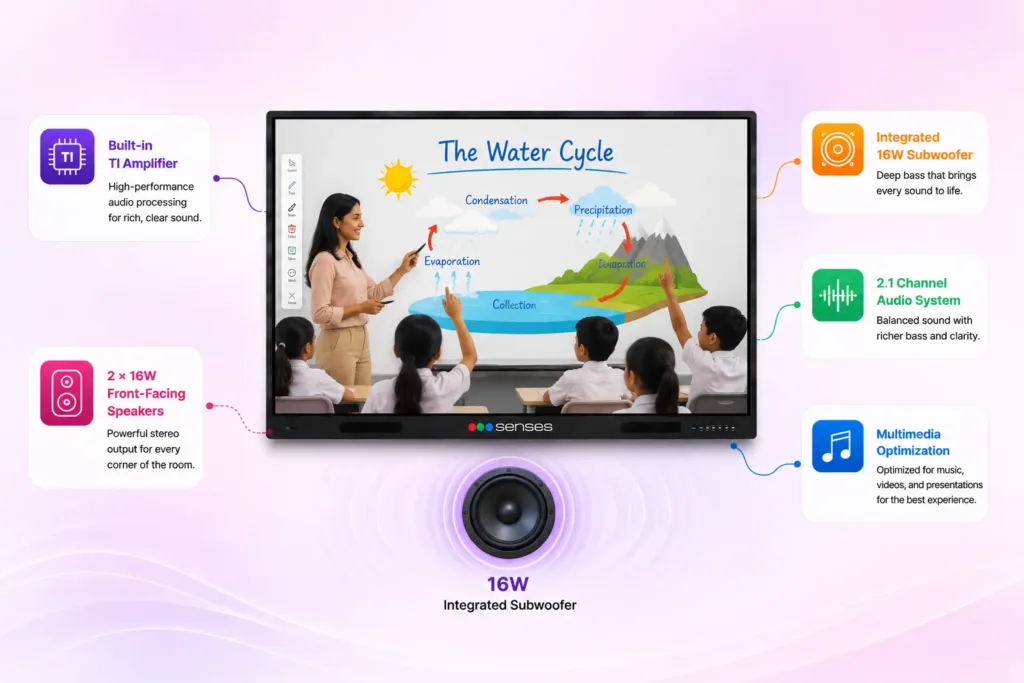
Audio System
2 × 16W Speakers + 16W Subwoofer
Connectivity
Wi-Fi 6, Bluetooth, HDMI, USB, Type-C, LAN
Software Features
SenseAI, Whiteboard, Annotation, Screen Sharing, 3D Models
Certifications
Google EDLA Certified
Panel Life
50,000+ Hours
Best For
Schools, Colleges, Coaching Institutes, Training Centres, Corporate Meeting Rooms
Display Specifications
Key Highlights
✔ 65-inch Commercial Grade DLED display for classrooms and meeting rooms
✔ Crystal-clear 4K Ultra HD visuals for videos, presentations, and educational content
✔ Up to 80% anti-glare protection for comfortable viewing under bright lighting
✔ 50,000+ hours panel life for long-term reliability and lower maintenance costs
✔ High contrast display for better text readability and visual clarity
Key Highlights
✔ Up to 40 simultaneous touch points for collaborative learning and teamwork ✔ Up to 20 users can write simultaneously on the screen ✔ Natural pen-on-paper writing experience for teachers and presenters ✔ Ultra-fast touch response for smooth annotations and whiteboarding ✔ Supports passive stylus for precise writing and drawing
Touch & Writing Experience
Audio Experience
✔ Front-facing speakers deliver clear and balanced sound across large rooms ✔ Integrated subwoofer provides enhanced audio depth for videos and presentations ✔ Built-in amplifier ensures high-quality sound without external speakers ✔ Optimized multimedia experience for teaching, training, and conferencing
✔ Latest Android 16 operating system with regular upgrades ✔ Google EDLA certification for secure access to Google applications ✔ 8GB RAM and 128GB storage for smooth multitasking and fast performance ✔ Built-in whiteboard, annotation tools, and screen sharing capabilities ✔ Access educational apps, web content, and multimedia resources instantly
Android Experience
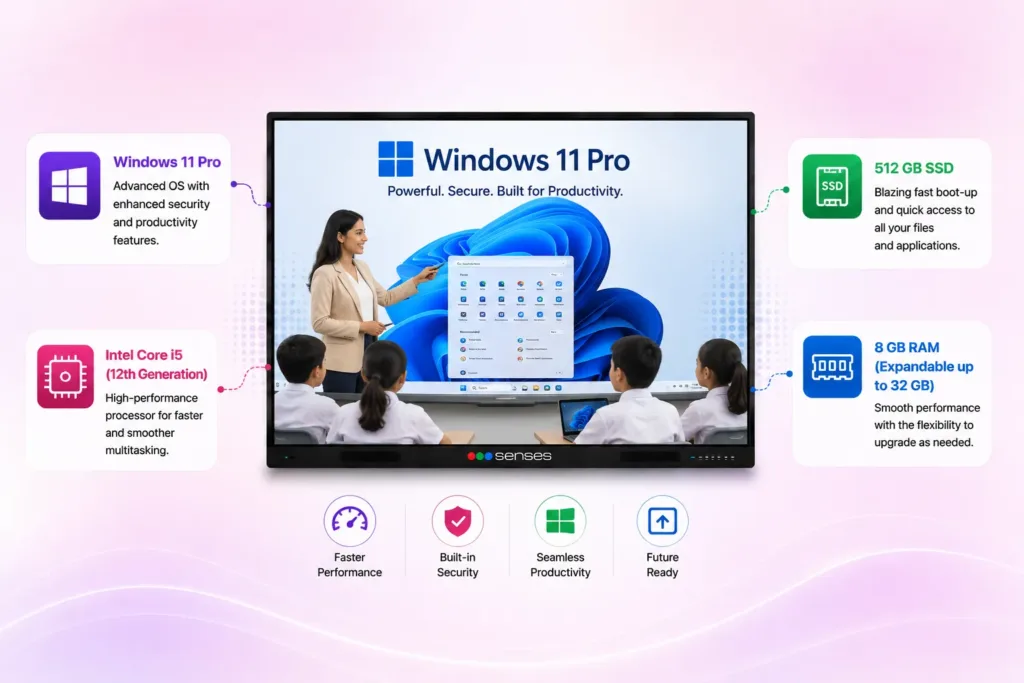
Windows OPS
✔ Optional Windows 11 Pro OPS support for PC-like functionality ✔ Intel Core i5 processor for demanding applications and multitasking ✔ Fast SSD storage for quick boot times and responsive performance ✔ Supports Microsoft Office, ERP software, and professional applications ✔ Ideal for advanced teaching, training sessions, and corporate meetings
AI-Powered Education Software Ecosystem for Smart Classrooms
1. What is the lifespan of the Senses Interactive Panels?
Senses Interactive Panels are built to last, with a lifespan of 50,000 hours. This means that with average daily use, the panel can last for many years, providing a reliable and long-term solution for your educational needs. The extended lifespan ensures that your investment continues to deliver value and support learning initiatives well into the future.
2. What is the response time of the touch function?
The touch function on Senses interactive smart boards response time of less than 4 milliseconds. This incredibly fast response time ensures a smooth and natural writing experience, virtually eliminating any lag between your touch and the panel’s reaction. This creates a more intuitive and engaging user experience, whether you’re writing, drawing, or interacting with multimedia content.
3. What is the maximum power consumption?
Senses Smart Panels are designed with energy efficiency in mind. The maximum power consumption is less than 700W. This helps reduce energy costs and minimizes the environmental impact, contributing to a more sustainable learning environment.
4. What are the connectivity options?
Senses Interactive Panels offer versatile connectivity with LAN for wired network connections, USB ports for peripherals, HDMI for high-quality audio and video output from multimedia devices, and Bluetooth for wireless connections to smartphones or tablets.
5. What is the resolution of the SenseEDGE 65 Inch Interactive Flat Panel?
The SenseEDGE 65 Inch Interactive Flat Panel features a 4K Ultra HD resolution of 3840 × 2160 pixels.
6. How many touch points does the SenseEDGE panel support?
The panel supports up to 40 touch points and 20 simultaneous writing points.
7. How does the Senses anti-glare display differ from standard interactive panels?
Senses Interactive Flat Panels feature up to 80% light absorption technology that significantly reduces reflections and improves content visibility. This allows teachers and students to read text, view images, and interact with lessons comfortably, even in brightly lit classrooms.
Want to know What We Can Do for You?
Fill up the form and our experts will get in touch with you
What to Expect in the Demo:
Key Features: We’ll walk you through the main features of the panel and how they can improve your lessons.
Classroom Setup: See how easy it is to use Senses panels in a real classroom setting.
Q&A: Ask any questions you have about the panels and get personalized advice.