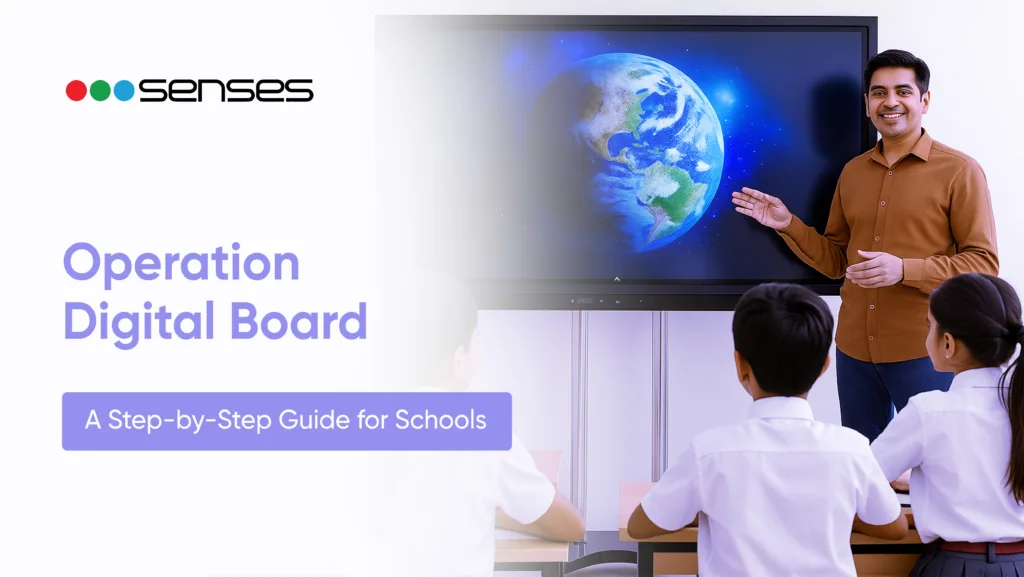
Under NEP 2020 and the Operation Digital Board (ODB) project, which aims to make education interactive, inclusive, and technology-driven nationally, classrooms in India are rapidly changing. The objective is straightforward: use connected classrooms and contemporary teaching technologies to bring all students closer to digital education.
This blog aids schools in comprehending the specifics of the Operation Digital Board program, important rules, and implementation preparation. Senses Interactive Panels, which have successfully upgraded thousands of classrooms, make it simpler, quicker, and more efficient for schools to implement digital boards.
What Is Operation Digital Board?
The Ministry of Education’s flagship project, Operation Digital Board (ODB), was introduced in 2019 as part of the Samagra Shiksha Abhiyan. In order to provide instructors and students with engaging, technologically advanced learning opportunities, the program seeks to implement digital transformation in classrooms throughout India.
ODB’s main goal is to digitize every classroom in order to promote multimedia-based, interesting learning and reduce dependency on chalk-and-talk approaches.
Here’s what the scheme covers:
- Hardware: To establish an immersive learning environment, digital boards, projectors, interactive panels, and sound systems must be installed.
- Content: Accessible e-learning materials, lectures that have been recorded, and digital textbooks that are in line with state and federal curricula.
- Connectivity: Providing real-time collaboration and resource access through internet connectivity and integration with online learning platforms.
- Teacher Training: Giving teachers the tools they need to use new technology effectively through seminars, online courses, and continuing support
Two verticals are covered by Operation Digital Board:
- School Education: Conducted under Samagra Shiksha, with an emphasis on K–12 establishments in government and assisted schools.
- Higher Education: The University Grants Commission (UGC), which oversees higher education, helps colleges and institutions implement digital learning infrastructure.
Objectives and Benefits for Schools
The Operation Digital Board initiative is designed to make classroom learning more interactive, inclusive, and future-ready. Here are the key objectives and their core benefits
Key Objectives:
- Improve Interactivity: To make learning more interesting and cooperative, swap out conventional chalkboards for digital boards and interactive panels.
- Close the Rural-Urban Gap: By ensuring that all students have equitable access to contemporary educational resources in both urban and rural schools.
- Encourage NEP 2020 Objectives: In line with the NEP’s vision for 21st-century education, encourage concept-based learning, digital literacy, and individualised instruction.
Core Benefits for Schools:
- Better Student Engagement: Visual and multimedia lessons engage students and boost retention.
- Simplified Teaching: Teachers can easily access digital content, annotations, and live examples, reducing workload and increasing efficiency.
- Hybrid Learning Readiness: With connected devices, schools may seamlessly transition between in-person and online classrooms as needed.
- Enhanced School Reputation: Introducing smart classrooms improves the institution’s image among parents, boards, and educational authorities.
By attaining these goals, schools not only meet national education standards but also foster a dynamic, learner-centred atmosphere that motivates both instructors and students.
Step-by-Step Guide — Getting Your Classrooms ODB-Ready
Implementing the Operation Digital Board (ODB) in your school necessitates meticulous preparation and organization.
Here’s a step-by-step guide to effectively planning, implementing, and maintaining digital classrooms.
Step 1 – Check Your State’s Status under Samagra Shiksha
Each state implements ODB through the Samagra Shiksha Annual Work Plan and Budget (AWP&B), which has been approved by the Ministry of Education’s Project Approval Board (PAB).
Schools should contact their District or State Samagra Shiksha offices to ensure eligibility, grant availability, and application deadlines. This guarantees that you’re on track with your state’s digital education agenda.
Step 2 – Assess Infrastructure Readiness
Before installation, schools must determine whether classrooms are technically ready for ODB.
Here is a brief checklist:
- Reliable power supply with backup capabilities.
- Wall space and mounting structure are suited for digital panels.
- Stable Internet connection for content access and updates.
Proper classroom layout ensures vision from all seats.
This assessment helps to avoid last-minute installation issues.
Step 3 – Understand the Digital Board Components
An ODB configuration consists of several integrated components designed for smooth digital learning:
- The Interactive Flat Panel Display (IFPD): The primary touch-enabled display for education.
- The OPS / Embedded PC : Powers the digital board and software programs.
Audio System: Provides clear audio for video lectures and interactive sessions.
- Educational Software Suite: Enables annotation, multimedia lessons, and real-time collaboration.
- Device Management Tools: Allow for remote upgrades, performance tracking, and security.
Before purchasing or installing any components, schools should confirm that they meet the state’s ICT specifications.
Step 4 – Plan Teacher Training and Content Alignment
Digital transformation is only successful when teachers are comfortable using new tools.
- Organize internal training sessions for familiarization and practical application.
- Use free government sites such as DIKSHA and SWAYAM for digital content and lifelong learning.
- Align lesson planning with curriculum-based digital resources to maximise classroom impact.
Step 5 – Coordinate Procurement and Installation via State Process
To ensure quality and uniformity, the majority of states conduct ODB procurement using centralized bids, RFPs, or the Government e-Marketplace (GeM).
- Schools must use these certified channels for supply and installation.
- To ensure compliance and interoperability, both private and CSR-funded institutions should use the same technical standards and specifications.
Step 6 – Monitor Usage and Maintenance
Keeping digital classrooms running involves frequent maintenance and performance tracking.
- Assign a teacher or IT coordinator to oversee daily usage and material changes.
- Perform regular maintenance inspections to avoid downtime.
- Use remote management tools to report usage statistics and assure long-term viability.
By following these procedures, schools can ensure that the Operation Digital Board initiative is implemented smoothly, compliantly, and effectively, resulting in smart and sustainable classrooms.
Common Challenges During Implementation
Although the Operation Digital Board (ODB) has a lot of potential, schools frequently encounter certain practical difficulties when putting it into practice.
A more seamless transition to digital learning is ensured by addressing issues early.
1. Teacher Adoption and Training Gaps
A lot of educators are still getting used to using digital instructional resources. Even the best equipment might be underutilized if proper orientation and continuous training are not provided.
2. Hardware Reliability and Maintenance
Device failures might be caused by frequent use, power fluctuations, or subpar components. For learning to continue, dependable after-sales assistance and routine maintenance are essential.
3. Managing Multiple Classrooms or Devices
Centralized control, updates, and troubleshooting are common issues for schools with numerous ODB configurations. Without the right device management software, this could take a long time.
4. Connectivity Limitations
The overall impact of digital learning can be diminished by inconsistent internet access, particularly in semi-urban or rural schools, which can disrupt system updates and material delivery.
How Senses Interactive Panels Simplify Digital Classroom Implementation
Technology built for actual classroom settings makes Operation Digital Board (ODB) implementation much simpler.
Senses Interactive Panels help schools meet ODB objectives more quickly and effectively by combining strong performance, user-friendliness, and long-term dependability.
- Designed for Classrooms in India
Senses panels are designed to endure common problems in the classroom. They include anti-glare, dust-resistant, and long-lasting screens and come in a variety of sizes (65″, 75″, 86″, and larger), making them perfect for India’s varied classroom settings.
- AI-Powered Educational Resources
With integrated AI-powered capabilities like voice commands, smart pen recognition, and rapid image search, educators can enhance the interactive and captivating nature of their classes without requiring complex technological knowledge.
- Teacher-friendly Software
The SenseBoard interface is made to be as simple as possible. Teachers can easily incorporate technology into regular lessons by annotating, sharing, and accessing multimedia information.
- Centralized Control and Management
Schools can use SenseManage to measure consumption across several classrooms, remotely deploy updates, and monitor devices from a single dashboard. This guarantees seamless functioning and saves a significant amount of time for IT staff.
- Verified Dependability and Assistance
With more than 9,000 institutions and more than 100,000 classrooms throughout India, Senses Electronics offers dependable performance supported by a national service and training network.
Senses Interactive Panels provide a smooth, NEP 2020-ready digital classroom experience from installation to daily usage, simplifying, improving, and sustaining ODB deployment.
The Future of Digital Education in India
With programs like Operation Digital Board (ODB), NEP 2020, and PM eVIDYA, India’s educational system is changing quickly. Together, they are laying the groundwork for inclusive, hybrid, and AI-driven learning environments.
Early adoption of digital boards by schools prepares instructors and students for a future-ready educational system in addition to improving infrastructure. Stronger learning outcomes and long-term preparedness for classrooms of the future are ensured by embracing this transition today.
Conclusion — Empowering Schools with the Right Technology
The Operation Digital Board (ODB) offers schools a significant chance to update classrooms and improve the effectiveness, inclusivity, and engagement of education. This transition becomes seamless and long-lasting with the appropriate technologies.
Explore how Senses Electronics’ Interactive Flat Panels can help your institution implement digital learning with ease and confidence.
FAQs
Making every Indian classroom digitally capable is the main objective of Operation Digital Board. It seeks to improve learning outcomes and comply with NEP 2020 objectives by enhancing instruction using interactive content, smart boards, and ICT resources.
Schools may take part by contacting their State or District Samagra Shiksha offices. State-specific clearances under the Annual Work Plan and Budget (AWP&B), approved by the Ministry of Education’s Project Approval Board (PAB), are necessary for execution.
An interactive flat panel display, an OPS/embedded PC, an audio system, instructional software, and internet access are all features of an ODB classroom. Together, these components provide an interesting, technologically advanced educational experience.
Yes. While government schools receive funding from Samagra Shiksha, private and NGO-run schools can use CSR or self-funding options for digital classroom setups while adhering to the same technical and pedagogical criteria.