Most teachers do not struggle with technology because it is difficult. They struggle because classroom teaching moves quickly.
A single lesson may involve writing notes, opening diagrams, switching to videos, solving equations, revisiting earlier explanations, answering questions, and sharing lesson material with students before the period ends. When teaching software cannot keep up with this flow, even advanced digital whiteboards start feeling slow inside real classrooms.
This is where teaching software becomes more important than hardware specifications.
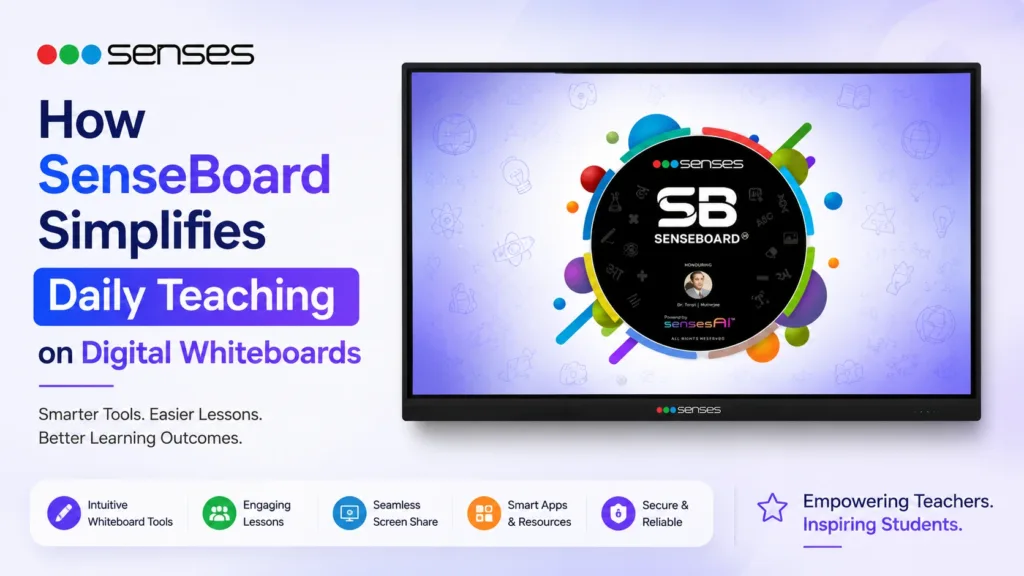
SenseBoard is the digital whiteboard teaching software developed by Senses Electronics specifically for schools, colleges, and coaching institutes in India. Instead of functioning like a basic annotation app, it is designed around how teachers actually conduct lessons throughout the day.
Integrated directly into Senses interactive panels, SenseBoard combines lesson annotation tools, AI-assisted teaching support, classroom utilities, content access, assessments, multilingual support, and instant sharing features within one environment. Teachers can explain, write, save, revisit, and share lessons without constantly switching between applications or external devices.
With more than 100,000 classrooms and 10,000+ institutions using Senses solutions across India, the platform has evolved through continuous classroom usage and teacher feedback.
Why Most Digital Whiteboard Software Slows Teachers Down
Many interactive whiteboard software platforms are built mainly for presentations rather than active classroom teaching.
In real classrooms, teachers often face issues such as:
- Limited writing space
- Frequent app switching
- Difficulty revisiting earlier notes
- Slow content sharing
- Restricted language support
- Poor organization during long lessons
These small interruptions affect classroom continuity over time.
A science teacher solving numerical problems may need multiple writing areas at once. A math teacher may need to revisit earlier steps without clearing the board. Language teachers may need translation support during live explanations.
SenseBoard is designed specifically to reduce these everyday teaching interruptions.
Built Around Daily Classroom Teaching Workflow
Unlike generic smart board teaching software, SenseBoard focuses on daily classroom teaching workflow rather than isolated features.
Teachers can:
- Write naturally on the board
- Open multiple teaching canvases
- Insert videos and diagrams instantly
- Annotate directly over content
- Generate quizzes during lessons
- Save sessions automatically
- Share lessons through QR, WhatsApp, or email
Because everything operates inside one system, teachers spend less time managing software and more time teaching.
Key Features That Simplify Daily Teaching
Endless Canvas with Auto Scroll
Traditional whiteboards and many digital boards interrupt lessons because teachers eventually run out of writing space.
SenseBoard solves this with an endless canvas and auto-scroll functionality. Teachers can continue writing naturally without deleting earlier explanations.
This becomes especially useful during:
- Long mathematical derivations
- Science explanations
- Comparative answers
- Step-by-step problem solving
Earlier content remains visible throughout the lesson, helping students follow explanations more clearly.
Multi-Canvas Teaching for Better Lesson Organization
Some lessons require multiple boards at the same time.
SenseBoard allows teachers to divide the screen into multiple independent canvases for side-by-side teaching.
Teachers can:
- Compare concepts simultaneously
- Keep reference material visible
- Solve different methods together
- Revisit earlier notes instantly
This makes classroom teaching more structured without breaking lesson flow.
Writing and Drawing on Smart Boards Feels Natural
One common issue with many interactive panel teaching software platforms is delayed or unnatural writing response.
SenseBoard is designed for smooth annotation and natural writing flow during continuous classroom usage.
Teachers can:
- Write freely using stylus or touch
- Highlight key points instantly
- Annotate diagrams and videos
- Draw shapes and structures naturally
The software also supports AI-powered handwriting and formula recognition through SensesAI. Rough sketches, mathematical equations, and handwritten expressions can be recognized and converted into cleaner structured formats automatically.
Interactive Teaching Tools for Classrooms
Modern teaching involves more than static explanations.
SenseBoard includes integrated classroom-ready whiteboard tools that help teachers create more interactive lessons directly from the panel itself.
Built-in utilities include:
- PhET simulations
- GeoGebra
- Polypad
- Quiz tools
- Digital abacus
- Chemistry utilities
- Geography and map tools
Teachers can annotate directly over simulations and continue explanations without changing applications.
The platform also includes more than 5,000 animated 3D teaching models for concept visualization across science, geography, mathematics, and biology.
AI Tools Integrated Into the Teaching Canvas
Most AI tools used in education operate separately from the actual lesson.
SenseBoard integrates SensesAI directly into the teaching workflow. This allows teachers to use AI assistance without leaving the classroom environment.
Teachers can:
- Search curriculum-aligned topics
- Generate summaries
- Create quizzes instantly
- Generate MCQs from PDFs
- Use AI Magic Pen for diagrams
- Solve equations step by step
- Generate lesson plans
Because the AI understands grade level, subject structure, and curriculum context, outputs remain more classroom-focused compared to generic AI systems.
Saving and Reusing Lesson Content
Teachers often repeat similar concepts across multiple sections and batches.
SenseBoard simplifies this process through intelligent session saving and lesson sharing tools.
The software supports:
- Auto-saving every 60 seconds
- Cloud access through QR login
- WhatsApp sharing
- Auto email sharing
- Screenshot saving
- Session recording
Teachers can continue earlier lessons without rebuilding content from scratch.
This saves preparation time and improves consistency across classrooms.
Classroom Software Designed for Indian Schools
Many classroom software platforms are adapted from global presentation tools and do not fully support Indian classroom requirements.
SenseBoard is designed specifically around:
- CBSE workflows
- State board teaching
- Coaching institutes
- Multilingual classrooms
- NCERT-based teaching
- Indian teaching patterns
The platform supports NCERT books, Balbharati resources, AI-assisted assessments, multilingual accessibility, and curriculum-aware search.
Teachers can also translate lesson content and use read-aloud functionality during live teaching sessions.
Why Schools Evaluate Software More Seriously Today
Schools no longer evaluate digital whiteboards only by display size or touch specifications.
Institutions increasingly ask practical questions:
- Is the software easy for teachers to use daily?
- Can teachers conduct full lessons smoothly?
- Does the platform reduce preparation time?
- Can lessons be reused and shared easily?
- Does the software support Indian teaching workflows?
- Is long-term support available?
This shift is one reason software ecosystems now play a major role in interactive panel decisions.
SenseBoard addresses these operational teaching requirements directly instead of functioning only as a presentation layer.
Part of the Larger Senses Ecosystem
SenseBoard operates alongside other software utilities developed by Senses Electronics.
These include:
- SenseManage for centralized panel management
- SenseTalk for classroom communication
- SenseConnect for wireless screen sharing
- SenseWatch for classroom monitoring
- SenseCapture for lesson recording
- SensesAI for AI-assisted teaching
Together, these tools create a connected classroom ecosystem instead of isolated classroom hardware.
Conclusion
SenseBoard is more than interactive whiteboard software for classrooms. It is a teaching-focused platform designed to simplify daily classroom workflows.
By combining annotation tools, AI-assisted teaching, classroom utilities, lesson sharing, multilingual accessibility, and curriculum-aligned content within one environment, SenseBoard helps teachers conduct lessons more smoothly and efficiently.
As schools continue investing in digital classrooms, software usability and classroom practicality will increasingly influence how institutions evaluate smart board solutions. SenseBoard reflects this shift by focusing on how teaching actually happens every day.
FAQ
SenseBoard is the digital whiteboard teaching software developed by Senses Electronics for interactive classroom teaching. It combines writing tools, AI-assisted teaching, assessments, lesson sharing, and classroom utilities within one platform.
Most smart board software focuses mainly on annotation and presentations. SenseBoard is designed around classroom teaching workflows and includes AI tools, assessments, curriculum-aligned content, simulations, and multilingual support.
Yes. Teachers can auto-save sessions, record lessons, share content through QR or WhatsApp, and continue previous lessons without rebuilding classroom material.
Yes. The platform supports NCERT books, Balbharati resources, state board workflows, and curriculum-aware classroom teaching.
SenseBoard is integrated directly into Senses interactive panels to ensure smooth compatibility between hardware, AI tools, and classroom teaching workflows.