According to a report published by Education for All in India, approximately 24.4% of schools in India now have functional smart classrooms equipped with digital boards and related infrastructure.
Source: https://educationforallinindia.com/concept-of-smart-classrooms-in-india-its-present-status/
Classrooms in schools and colleges today look very different from traditional learning spaces. Teachers are no longer just writing notes on a board while students copy them down. Teaching now includes visuals, diagrams, short videos, and explanations that change based on how students respond in real time.
Many institutions are replacing blackboards and basic projectors with smart boards. In this shift, the digital smart board is a useful classroom tool. It supports clear explanations and engaging lessons without changing how teachers teach.
What is a Digital Smart Board?
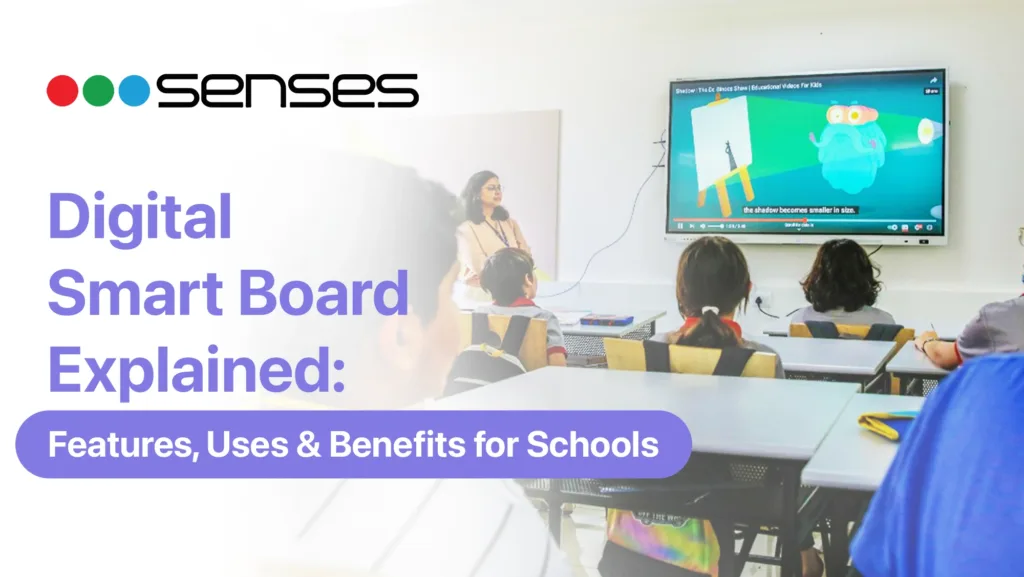
A digital smart board is a large interactive display used in classrooms that allows teachers and students to write, annotate, and interact directly on the screen using a finger or stylus. It functions as a central teaching surface where lessons, visuals, and digital content are presented and modified in real time.
In schools, teachers use digital smart boards to explain concepts, highlight key points, display images or videos, and move between lesson materials without switching devices. This allows lessons to flow more smoothly and helps teachers respond instantly to student questions during class.
Instead of acting as a passive display, the board becomes part of the teaching process. Teachers build concepts step by step during the lesson, revisit earlier points when needed, and respond to student questions without interrupting the flow of teaching. This approach helps students follow explanations more easily and stay focused.
How Digital Smart Boards Are Used in Schools
InstitA digital smart board classroom setup supports a wide range of everyday teaching activities. It fits naturally into regular lessons across subjects and grade levels.
Common classroom uses include:
- Writing and highlighting key points during explanations
- Displaying diagrams, images, and videos to support concepts
- Switching between lesson materials without changing devices
- Revisiting saved content for revision or clarification
- Encouraging student participation during discussions
Because all activities happen on a single screen, lessons feel more continuous and organised.

Key Features of a Digital Smart Board for Schools
Schools often evaluate digital smart boards based on how well they support teaching rather than on technical specifications alone. The most useful features are those that reduce classroom friction and improve clarity.
Key features that matter include:
- Touch interaction: Enables natural writing and annotation during lessons
- Clear display quality: Helps students see text and visuals from different seating positions
- Content integration: Allows use of multimedia alongside written explanations
- Lesson saving: Supports content reuse and revision without repeating work
These features support daily teaching rather than occasional demonstrations.
Why Teaching Software Matters as Much as the Hardware
In classroom technology, hardware alone does not define teaching effectiveness. While many digital smart boards offer good displays and touch response, limited or generic software often restricts how teachers can use the board during real lessons.
Teaching software shapes how smoothly a class runs. Without tools for notes, lesson flow, and content management, teachers may still use other devices or many apps in one session.
Senses Electronics addresses this through SenseBoard, a teaching software developed specifically for Indian classrooms.
SenseBoard includes:
- Over 200 classroom-focused features tailored to Indian teaching practices
- Tools for writing, annotation, unlimited canvas, and lesson flow
- Support for structured explanations, revisions, and content reuse
- Utilities aligned with school and college teaching workflows rather than generic presentations
By making teaching software a core part, the digital smart board is easier for teachers to use all day.
Benefits of Digital Smart Boards for Schools
A smart digital board for teaching improves classroom experience when used as part of everyday instruction.
For teachers, it helps by:
- Reducing time spent writing, erasing, and resetting content
- Allowing smoother transitions between topics
- Making it easier to adapt explanations during the lesson
For students, it supports learning by:
- Improving understanding through visual explanations
- Keeping attention focused during class
- Making complex topics easier to follow step by step
These benefits are most visible when boards are used regularly, not occasionally.
🔗 Learn more about interactive smart boards used in Indian classrooms:
👉 See Classroom Digital Board Options

Common Classroom Use Cases
Digital smart boards are used across different learning environments, each with specific needs.
- Primary classrooms: Visual explanations support early learning and concept clarity
- Secondary classrooms: Diagrams, equations, and multimedia help explain complex topics
- Higher education: Larger displays support lectures, presentations, and discussions
- Coaching centres: Saved content and annotations support fast-paced sessions
In each case, the board adapts to teaching style rather than forcing change.
Colleges and universities often require larger interactive panels with advanced collaboration features. For a detailed comparison tailored to universities and professional institutions, explore our guide on Best Digital Boards for Higher Education
What Schools Should Consider Before Adopting
Successful adoption depends on practical readiness rather than interest alone. Schools that plan carefully see better outcomes.
Key considerations include:
- Infrastructure readiness: Stable power, adequate space, and basic network support
- Teacher training: Guidance helps teachers use the board confidently in daily lessons
- Gradual rollout: Starting with a few classrooms allows smoother integration
Considering these factors helps schools avoid disruption and improve long-term use.
Digital Smart Board vs Traditional Teaching Tools
| Comparison Factor | Digital Smart Board | Traditional Board (Blackboard/Whiteboard) | Projector-Based Setup |
| Writing & Annotation | Write, highlight, erase, and annotate digitally with finger or stylus | Manual writing with chalk/marker | Requires separate device for writing |
| Multimedia Support | Supports images, videos, diagrams, and live content | No multimedia support | Can display multimedia but needs laptop |
| Lesson Continuity | Switch between notes, videos, and diagrams on one screen | Must erase and rewrite content | Switching between apps can interrupt flow |
| Content Saving | Lessons can be saved and reused for revision | No saving option | Depends on external device storage |
| Student Engagement | Interactive and visually dynamic | Limited to static explanations | Visual but not interactive |
| Classroom Setup | All-in-one integrated system | Simple board and writing tools | Requires projector, laptop, cables |
| Visibility | High clarity display visible from different seating positions | Visibility depends on handwriting and lighting | Image clarity depends on projection quality |
| Maintenance | Requires technical servicing over time | Minimal maintenance | Bulb replacement and alignment needed |
| Long-Term Use | Designed for continuous classroom usage | Suitable for basic instruction | Better for presentations than daily teaching |
Schools should also evaluate the total cost of ownership, including hardware quality, software capability, and long-term service support. For a detailed breakdown of pricing factors and budget planning, refer to our complete Smart Board & Interactive White Board Price in India 2026 Guide.
Conclusion
In 2026, classroom technology decisions are no longer limited to display quality alone. Schools are evaluating digital boards as long-term academic infrastructure that supports daily teaching continuity, teacher confidence, and institutional reliability.
Senses Electronics designs SenseEdge and SensePro interactive panels with this education-first approach. Built for daily classroom use, these systems work with SenseBoard teaching software. They include structured training and pan-India service support.
These systems are designed to match how real classrooms function every day. Rather than operating as standalone screens, SenseEdge and SensePro work within a connected classroom environment. This allows teachers to deliver organised lessons, transition smoothly between content, and maintain consistency throughout the academic year.
For institutions planning future-ready classrooms with stability and long-term usability in mind, SenseEdge and SensePro represent a comprehensive digital teaching infrastructure built around real classroom practice, not short-term technology trends.
FAQs
A digital smart board is used in schools as an interactive teaching display that allows teachers to write, annotate, and present multimedia content during lessons. In a digital smart board classroom, it combines visuals, digital writing, and educational resources into a single structured teaching flow that improves clarity and student engagement.
No, a digital smart board does not replace traditional teaching methods. Instead, it enhances them by providing better visibility, digital annotation tools, and multimedia support. A smart digital board for teaching helps teachers explain concepts more clearly while maintaining their existing teaching style.
Yes, digital smart boards are suitable for all academic subjects. They are especially effective in mathematics, science, languages, and social studies, where diagrams, visual explanations, maps, and step-by-step problem-solving improve student understanding.
Yes, basic training helps teachers use a digital smart board confidently. Training ensures smooth use of writing tools, lesson-saving features, and interactive classroom functions without interrupting daily teaching flow.