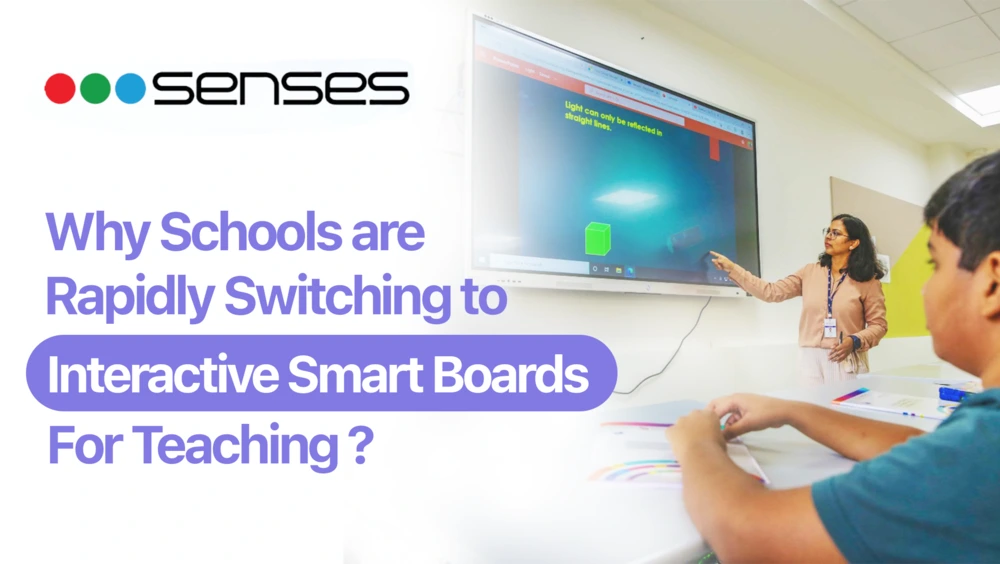
Classrooms in Indian schools and colleges are increasingly moving beyond blackboards and static slides as teaching becomes more interactive and digital. An interactive smart board for teaching allows educators to explain concepts using writing, visuals, videos, and digital resources on a single screen, improving lesson clarity and student engagement. This article explains why schools are adopting interactive smart boards, how they support daily classroom teaching, and what role they play in building effective smart screen classrooms.
How Interactive Smart Boards Are Used in Classrooms
In a classroom, an interactive smart board serves as the main teaching surface. Here, lessons, explanations, and digital content all come together. Many teachers use the smart board as a shared workspace. They build concepts step by step during the lesson. They do not just treat it as a display.
This method helps students learn visually. It keeps them focused on the topic. It also lets teachers change their explanations based on student responses.
Teachers commonly use interactive smart boards to:
● Write and highlight key points during lessons
● Display images or videos to support explanations
● Move easily between different teaching materials without switching devices
● Create a smart screen for classrooms that feels more natural and interactive, rather than scripted
Teaching Challenges in Traditional Classrooms
Many classrooms are still dependent on methods that limit student participation. Lessons often become a one-way lecture, with students listening passively while the teacher explains concepts at the board. This makes it harder to keep attention levels high, especially in larger classes.
Traditional classroom setups commonly face challenges such as:
- Limited visibility can be a problem. Students sitting at the back may have trouble seeing text, diagrams, or examples. This is especially true when the boards are small or the lighting is poor.
- Time spent writing, erasing, and rewriting content during the day interrupts lessons. This reduces the time for discussion and interaction.
- Many schools are rethinking their traditional setups. They are comparing them to more interactive panels for learning.
Because of these challenges, institutions are increasingly evaluating the Benefits of Smart Classroom as part of their classroom modernization decisions

Why Schools Are Adopting Interactive Smart Boards for Teaching
Schools are increasingly using interactive smart boards. They help solve common problems teachers face every day.
Student Engagement: Lessons that include visuals, movement, and interaction hold student attention better than static explanations. When teachers illustrate concepts directly on the board and adjust content during the lesson, students stay more involved.
Visual Learning: Diagrams, images, and videos help simplify complex topics and support different learning styles. This is especially useful in subjects where visual elements improve understanding.
Teacher Efficiency: These boards help teachers in the classroom. They can save lesson content and reuse materials. This makes it easier to switch between topics. Teachers spend less time erasing or resetting the board, which leaves them more time for explanation and discussion.
Together, these factors explain why interactive smart boards are becoming a preferred teaching tool in schools and colleges.
How Interactive Flat Panels Improve Classroom Teaching
Interactive flat panels improve classroom teaching by bringing multiple teaching tools into a single device, allowing lessons to flow more smoothly. Teachers can combine writing, visuals, and multimedia content in one place, which helps explain concepts more clearly and keeps students involved throughout the lesson.
They improve classroom teaching in the following ways:
● Unified Teaching Flow: Teachers can write, show visuals, and use multimedia without switching tools, making explanations clearer and lessons easier to follow.
● Support for Different Learning Styles: As an interactive panel for education, this setup helps visual learners through diagrams and videos, while other students engage through problem-solving and annotation.
● Continuity in Teaching: Teachers can instantly revisit earlier points, helping revise concepts without breaking the flow of the lesson.
● Flexible and Responsive Teaching: In a smart screen classroom, content can be adjusted on the spot based on student questions, allowing lessons to move beyond usual explanations.
● Higher Classroom Participation: This flexibility encourages discussion, participation, and a more active learning environment for students.
Why Senses Electronics Smart Board Is a Top Choice for Indian Schools
Senses Electronics designs its smart boards specifically for the practical realities of Indian classrooms. The focus is not only on advanced features, but also on reliability, ease of use, and long-term adoption by teachers and institutions.
● SenseBoard Teaching Software Built for Classrooms:
Senses smart boards come integrated with SenseBoard, a teaching software designed to support everyday classroom instruction. It allows teachers to write, annotate, display content, and manage lessons easily, helping them conduct classes smoothly without relying on multiple external tools.
● Teacher Training for Confident Adoption:
Technology adoption is effective only when teachers are comfortable using it. Senses Electronics provides structured teacher training programs to help educators understand interactive features and apply them confidently during daily lessons. This support reduces learning curves and encourages consistent classroom use.
● Pan-India In-House Service and Support:
Reliable after-sales support is critical for schools. Senses Electronics offers pan-India in-house service and support, ensuring timely assistance, maintenance, and long-term reliability. This helps institutions minimize downtime and maintain uninterrupted classroom teaching.
By combining classroom-ready interactive panels, SenseBoard software, teacher training, and nationwide service support, Senses Electronics offers a complete smart board solution suited to the operational and teaching needs of Indian schools.

Conclusion
The shift toward interactive teaching tools reflects a broader change in how classrooms operate today. Schools are focusing more on engagement, visual learning, and flexible lessons. This helps students understand better in different ways. Interactive smart boards help teachers explain ideas more clearly. They also engage students more actively during lessons.As schools make this change, it is important to pick solutions made for real classroom situations and supported for a long time. Teaching environments using SenseEdge and SensePro show how interactive panels and classroom software can help teachers. These tools meet everyday teaching and school needs.
Ready to select the right touch technology for modern classrooms? Book a Free Demo Call!
FAQs
It is used to explain lessons visually, write and annotate content, and interact with digital materials during class. Teachers often use it as a central teaching surface throughout the lesson.
The best smart board for teaching is one that is easy to use every day, supports interactive lessons, and comes with reliable long-term support. Senses Electronics smart boards (SenseEdge and SensePro) are designed for Indian classrooms and offer built-in teaching software, teacher training, and pan-India service, making them a practical choice for schools.
In India, the cost of an interactive board for a classroom typically ranges between ₹1,20,000 to ₹1,80,000, depending on the screen size (55”–110”), touch technology, hardware configuration, and included teaching software. Entry-level displays may appear cheaper, but classroom-grade interactive boards are priced higher due to better durability, performance, and long-term support needed for daily teaching use.
A Smart Board is a type of interactive whiteboard, but today the term often refers to modern interactive flat panels with built-in OS, Wi-Fi, and touch displays. Traditional interactive whiteboards rely on projectors and external computers, while smart boards offer better screen clarity, easier setup, lower maintenance, and a smoother multi-touch classroom experience.