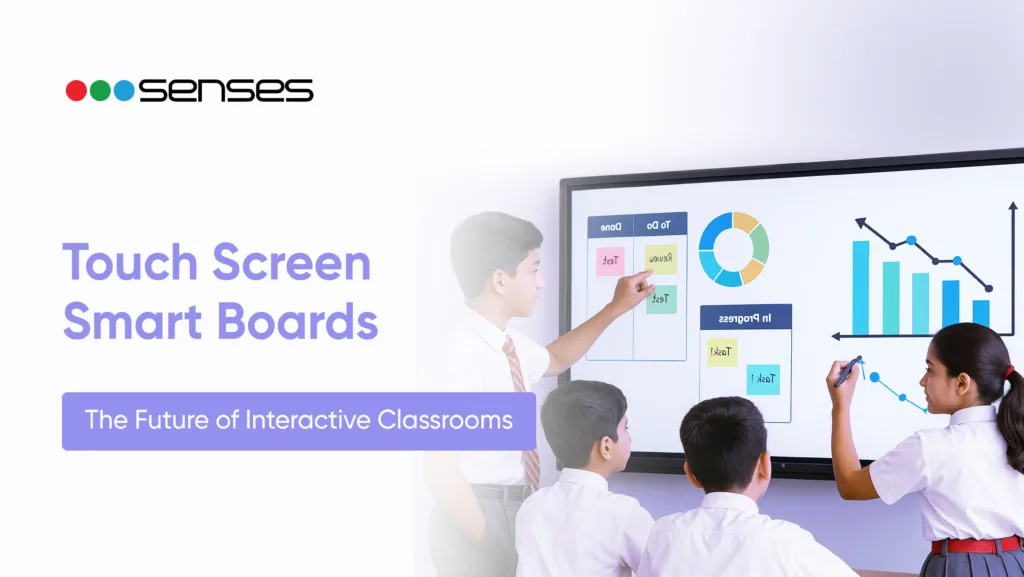
Touch-screen smart boards are becoming a standard part of modern classrooms and training rooms across India. Schools, colleges, and coaching institutes are gradually moving away from traditional blackboards and projectors and adopting interactive digital displays that combine writing, visuals, and multimedia in one place.
Reports suggest that around 24.4% of Indian schools now have smart classrooms equipped with touch-screen smart boards. Most of these systems are large LED displays running on Android or Windows, with multi-touch support that allows multiple users to interact with the screen at the same time.
Touch-screen smart boards typically include features such as 4K anti-glare displays, stylus support, handwriting recognition, built-in speakers, and cloud connectivity. Pricing varies depending on screen size, touch technology, and software features.
Key Takeaways:
- Touch-screen smart boards combine the functions of a whiteboard, computer, and display in a single device.
- Features such as multi-touch, 4K display, and built-in teaching tools help improve classroom interaction. Smart board prices in India vary based on screen size and specifications, with 75-inch Smart boards being widely used in schools. Choosing the right board depends on classroom size, budget, and availability of after-sales support.
What Is a Touch-Screen Smart Board?
A touch-screen smart board is a large interactive digital display that allows users to write, draw, and control content directly on the screen using their finger or a stylus.
It is commonly used in:
- Classrooms
- Coaching centres
- Corporate meeting rooms
- Training institutes
Unlike a traditional whiteboard, a digital board can display presentations, videos, diagrams, and online content while allowing real-time annotation.
How Does a Touch-Screen Smart Board Work?
A touch-screen smart board uses sensors built into the display to detect touch and convert it into digital input. When a teacher writes or taps on the screen, the system instantly displays those actions.
The process works in four simple steps:
Touch detection: The board detects contact from a finger or stylus.
Input processing: The touch is converted into digital signals.
Display response: The board displays writing or commands in real time.
Content interaction: Users can open files, annotate content, and navigate applications directly from the screen.
Key Features to Look For in Touch-Screen Smartboard
Modern digital boards come with features designed to support teaching, presentations, and collaboration.
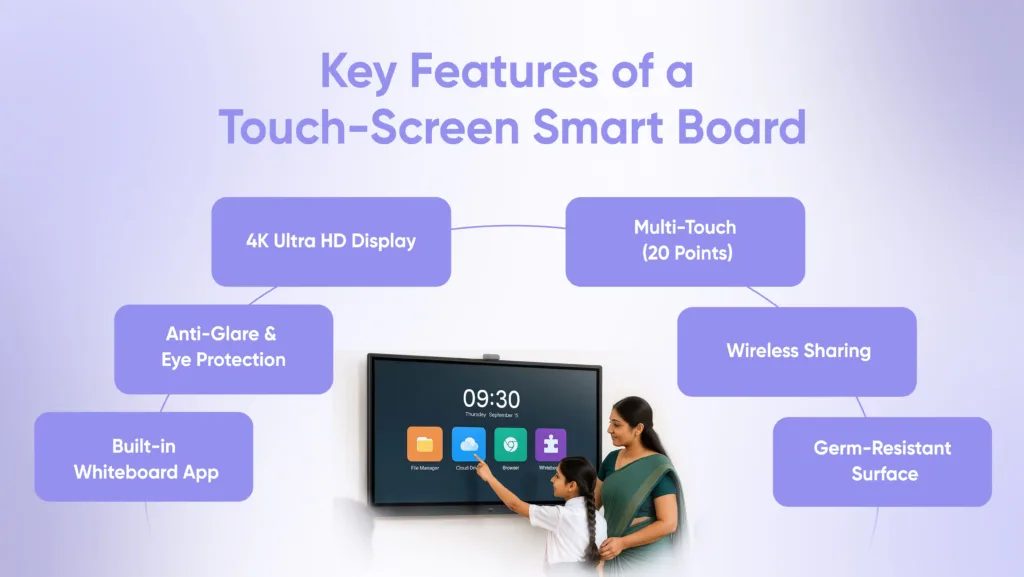
4K Display and Anti-Glare Screen
Most boards offer high-resolution displays that keep text and diagrams sharp even in large classrooms. Anti-glare technology ensures visibility in bright rooms.
Multi-Touch Support
Many touch-screen boards support multiple touch points, allowing several students or teachers to write or interact simultaneously.
Built-In Whiteboard and Annotation Tools
Teachers can write, highlight, erase, and save notes directly on the board without needing extra software.
Wireless Screen Sharing
Digital boards can connect to laptops, tablets, and mobile devices wirelessly, making it easy to display presentations and documents.
Built-In Speakers and Apps
Most boards include speakers and support educational apps, web browsers, and cloud storage platforms.

Touch Screen Smart Board Price in India
Prices for touch-screen smart boards differ depending on size, brand, and features. Here’s an estimated range:
| Board Size | Average Price in India |
| 65-inch touchscreen interactive digital board | ₹1,50,000 – ₹1,70,000 |
| 75-inch touchscreen smart board price | ₹1,80,000 – ₹2,10,000 |
| 86-inch touchscreen classroom board | ₹2,40,000 – ₹2,80,000 |
Factors that impact pricing:
Screen size and panel quality
Touch technology (infrared, capacitive, or optical)
Built-in software and applications
Warranty and after-sales service
How to Choose the Right Touch Screen Classroom Board
A major selection is to invest in a touchscreen classroom board. The right board can transform the teaching and learning experience in your school. An appropriate board will promote more interactive lessons, save the teacher time, and engage the learners from start to finish.
Step 1: Determine Your Budget – Keep In Mind Value, Not Only Price
While looking at the touchscreen smartboard price point, do not just look at the price. Consider the upgrade on value: a quality board that you do not have to repair or replace on a constant basis could last a decade or longer for you.
Step 2. Select the Size For Your Classroom
The board size and area should be considered. For a small classroom, a 65-inch board may fit, but for larger rooms or open spaces where the class could sit anywhere, a 75-inch touchscreen interactive smartboard or larger size ensures every student can see the lesson.
Step 3. Verify the Features To Make Teaching Easier
A good digital touchscreen board should have:
- Support for multi-touch (so multiple students can write simultaneously)
- Whiteboarding and annotation features built in
- Wireless screen sharing for laptops and tablets
- Features for eye-care: anti-glare, blue-light filters
Step 4. Consider After-Sales Support and Training
Even the best digital touchscreen board will require servicing or updates. Strong after-sales service will mean you are not left waiting for support and lose valuable instruction time.
Step 5. Consider Future Needs
Technology changes quickly. Pick a board that can accommodate new apps, online learning environments, and additional innovative teaching strategies in the future.
Benefits of Using a Touch-Screen Smart Board in Classrooms
Makes Lessons More Visual
Teachers can display diagrams, animations, and videos to explain complex concepts more clearly than text alone.
Encourages Student Participation
Students can come to the board, write answers, solve problems, and interact directly with lesson content.
Saves Teaching Time
Teachers can save notes, reuse lessons, and share materials digitally instead of rewriting content every day.
Supports Hybrid and Online Teaching
Touch-screen boards can be used with video conferencing tools, allowing teachers to conduct both in-class and remote sessions.
Types of Touch-Screen Smart Boards
Different boards use different touch detection technologies, which affect writing experience and cost.
Infrared (IR) Touch
Infrared sensors detect interruptions in light beams across the screen. This technology works with fingers, a stylus, or any object and is widely used in classroom boards.
Capacitive Touch
Capacitive touch works similarly to smartphone screens and offers very smooth and precise writing. It is commonly used in premium boards.
Optical Touch
Optical touch systems use cameras placed around the screen to track finger and stylus movements. These are often used in large interactive displays.

Future of Touch-Screen Interactive Digital Boards
Touchscreen interactive digital boards have progressed quickly and are developing smarter, faster, and more connected teaching experiences. In the future, boards will become even more intuitive, AI-powered, and integrated with online learning, making the classroom experience even more engaging and efficient.
- AI-powered lesson assistance
- More advanced gesture recognition
- Cloud-connected boards for remote learning
- Fully wireless classrooms with no cables at all
Why Institutions Choose Senses Electronics
Many schools and training institutes in India prefer Senses Electronics because their boards are designed specifically for local classroom conditions and teaching requirements.
Key advantages include:
- High-Resolution, High Definition 4K Displays so you can see clear images from any angle.
- Multi-Touch Technology that allows multiple students to make contact with the board at once.
- Competitive Pricing and options for Community-Based Education and Non-Profit Schooling for every budget.
- Complete Support Options for installation, parent-teacher onboarding and training, and strong after-sales support.
- Future Proof Features such as wireless sharing connectivity, cloud, software updates, and more.
Conclusion
A touchscreen smartboard is more than just a teaching tool; it is an investment in integrating interactive modern education. Whether you are looking for a smaller touchscreen teaching board for a smaller class or a larger digital touchscreen board for a university, choosing the right board will help push engagement, collaboration, and learning outcomes.
With a competitive touchscreen board for teaching price and some great features, Senses Electronics is one of the great options in schools and businesses looking for stylish, reliable, cost-effective touch screen boards within India.
FAQs
A smartboard touchscreen is an interactive display that allows users to write, draw, and interact with content by touching the screen with their fingers or using special pens. It can also present videos, presentations, and web content.
Yes, touchscreen boards can connect to a laptop and most online platforms. This makes them effective for fully online and hybrid classes.
For small to mid-sized classrooms, a 65-inch board is recommended. For larger spaces, 75 inch and above is suggested for clear visibility.
Senses Electronics provides boards with 4K screens, multi-touch capabilities, and other touchscreen technologies. Moreover, they offer installation, teacher training, and reliable after-sales service to support them.