Senses Electronics is one of India’s leading manufacturers of interactive panels and smart board solutions. Senses develops and manufactures its Senses interactive panels and classroom software for schools, colleges, universities, coaching centres and other educational institutions. Established in 2013, Senses Electronics has installed its smart classroom solutions across 10,500+ educational institutions and 100,000+ classrooms in India.
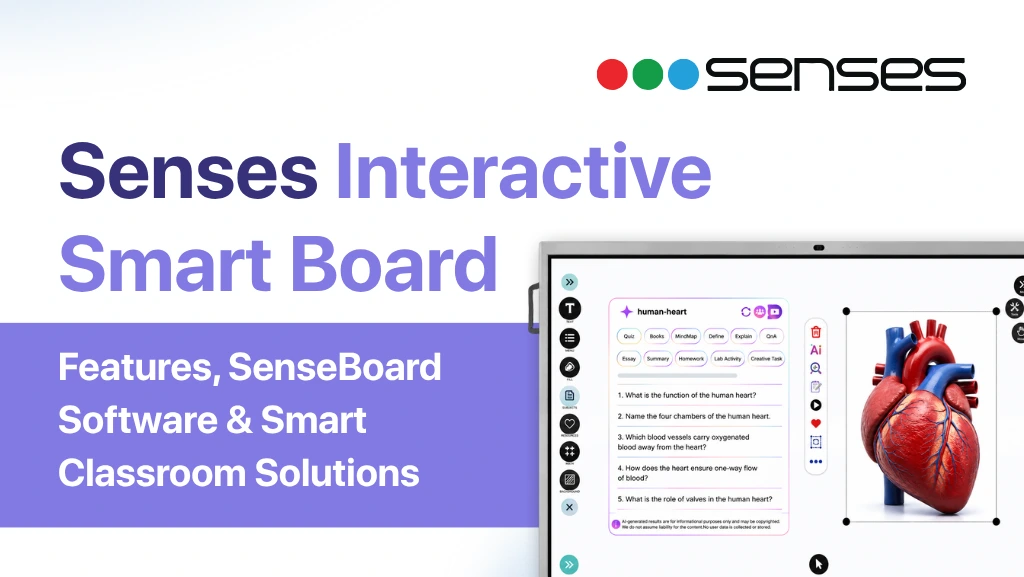
The Senses interactive smart board is an AI-enabled interactive flat panel designed to support everyday teaching, including digital writing, annotation, multimedia lessons, collaboration, AI-assisted content creation, and classroom management.
Senses combines interactive display hardware with classroom software such as SenseBoard and SensesAI, along with tools including SenseConnect, SenseCapture, SenseWatch, SenseTalk, and SenseManage. Its newer SenseEDGE 2.0 model adds Android 16, Google EDLA certification, Windows 11 OPS compatibility, and a built-in 4K AI camera with Auto Framing and Auto Zoom.
Beyond the hardware and software, Senses provides teacher training, a 3-year warranty, free lifetime software updates, and no subscription cost for the core software experience, helping institutions adopt interactive classroom technology without creating additional recurring software expenses.
The purpose is not simply to replace a traditional blackboard or projector. Senses aims to provide an integrated smart classroom ecosystem that brings digital teaching, AI-powered learning tools, collaboration, classroom management, and ongoing support together on one platform.
In this blog, we will share everything you need about Senses AI interactive panel and smart board.
Key Takeaways
- Senses Electronics develops interactive panels and classroom technology for education.
- The Senses product portfolio includes SensePro, SenseEdge and the newer SenseEDGE 2.0.
- SenseBoard is Senses’ interactive teaching software designed around classroom workflows.
- SensesAI adds AI-powered teaching capabilities such as lesson planning, quiz generation, summaries, explanations, images and classroom activities.
- SenseEDGE 2.0 combines Android 16, Google EDLA certification, Windows 11 OPS support and a built-in 4K AI camera.
- Senses also provides supporting classroom technologies such as wireless collaboration, classroom monitoring and centralized panel management.
- Senses Electronics states that its solutions are used across 10,500+ institutions and 100,000+ classrooms in India.
What Is a Senses Smart Interactive Panel?
A Senses interactive smart board is a large touchscreen interactive flat panel that allows teachers to write, draw, annotate, display multimedia, access digital resources and conduct technology-enabled lessons from a single classroom display.
Unlike a conventional projector-based setup, an interactive flat panel integrates the display and computing environment into one device. Teachers can interact directly with content on the screen using touch or a compatible pen.
Senses Electronics has developed its panels specifically around educational use cases. Its current product ecosystem combines the interactive panel with proprietary classroom software and connected tools rather than treating the display as an isolated hardware product.
The Senses approach can therefore be understood as:
Interactive Panel → SenseBoard → SensesAI → Classroom Software → Connected Classroom Solutions
This software-first approach is important because teachers interact with the teaching interface every day. Display resolution and processor performance matter, but the usefulness of a smart board also depends on how easily teachers can prepare, explain, annotate, save and share lessons.
Senses Interactive Smart Board Product
Senses Electronics offers three interactive smart board options for educational institutions: SensePRO, SenseEDGE and SenseEDGE 2.0. All three models combine a 4K interactive display with Senses’ classroom software ecosystem, including SenseBoard and SensesAI. They are designed for schools, colleges, universities, coaching institutes and other educational environments.
The three models serve different requirements. SensePRO is the flagship Senses interactive panel, SenseEDGE is designed as an affordable option for everyday classroom teaching, while SenseEDGE 2.0 brings newer capabilities such as Android 16, Google EDLA certification and a built-in 48MP Sony CMOS 4K camera.
What Is SensePRO?
SensePRO is Senses Electronics’ flagship interactive smart board for institutions that require advanced classroom, collaboration and smart classroom capabilities.
SensePRO is available in 65-inch, 75-inch, 86-inch and 98-inch sizes. It features a commercial-grade DLED display with 4K Ultra HD resolution (3840 × 2160), infrared touch technology, up to 40-point touch, up to 20-point writing and ±0.3 mm touch accuracy.
The panel runs Android 16 Google EDLA certification and also supports Windows 11 Pro through its Windows configuration, with an Intel Core i7 13th Gen processor and 512GB SSD. Its Android configuration includes 8GB RAM and 128GB storage, while RAM can be expanded up to 32GB.
SensePRO is also designed for multimedia-rich classrooms. It features a built-in BOSE amplifier and 2.1-channel audio system, with two 20W front-facing speakers and an integrated 20W subwoofer.
For connected classrooms, SensePRO supports Wi-Fi 6, dual-band connectivity, Bluetooth, LAN, HDMI, DisplayPort, VGA, USB and USB Type-C connectivity.
The software experience includes SenseBoard and SensesAI, supporting interactive writing, annotation, multimedia teaching and AI-assisted classroom activities. The supplied specifications also list 5,000+ SenseAI-powered 3D learning models.
SensePRO also supports NFC authentication. A 48MP Sony CMOS camera, with 4K video capability and a 103° field of view.
In simple terms: SensePRO is designed for institutions that want a premium 4K interactive panel with advanced hardware, software and smart classroom capabilities.
What Is SenseEDGE?
SenseEDGE is Senses Electronics’ affordable interactive smart board for everyday digital classroom teaching.
SenseEDGE is available in 65-inch and 75-inch sizes. Like the other Senses interactive panels, it uses a 4K Ultra HD display with 3840 × 2160 resolution and infrared touch technology.
The panel supports up to 40-point touch and 20-point writing, with ±0.3 mm touch accuracy. This allows teachers and students to write, annotate and interact directly with digital content on the display.
SenseEDGE runs Android 16 Google EDLA certification and supports Windows 11 Pro, with an Intel Core i5 12th Gen processor and 512GB SSD in the Windows configuration. The panel includes 8GB RAM, expandable up to 32GB.
The Senses software ecosystem is an important part of the SenseEDGE experience. The panel supports SenseBoard and SensesAI, while other Senses classroom applications include tools such as SenseConnect and SenseCapture.
For classroom audio, SenseEDGE uses a TI amplifier with 2.1-channel audio, two 16W front-facing speakers and an integrated subwoofer.
SenseEDGE also supports Wi-Fi 6, Bluetooth, LAN, HDMI, DisplayPort, VGA and USB connectivity, allowing teachers to connect computers and other classroom devices.
In simple terms: SenseEDGE is designed for schools and educational institutions that want a 4K interactive smart board with essential classroom software, touch interaction and connectivity at a more accessible level.
What Is SenseEDGE 2.0?
SenseEDGE 2.0 is the newer generation of the SenseEDGE interactive smart board, combining 4K interactive display technology with Android 16, Google EDLA certification, AI capabilities and integrated camera technology.
SenseEDGE 2.0 is available in 65-inch and 75-inch sizes. It features a commercial-grade DLED display with 4K Ultra HD resolution (3840 × 2160) and a 60Hz refresh rate.
The panel uses infrared touch technology with up to 40 touch points, up to 20-point writing and ±0.3 mm touch accuracy. This gives teachers a responsive surface for handwriting, annotation and interactive lessons.
A key feature of SenseEDGE 2.0 is its Android 16 operating system with Google EDLA certification. It also supports Windows 11 Pro, using an Intel Core i5 12th Gen processor and 512GB SSD in the Windows configuration.
SenseEDGE 2.0 includes a 48MP Sony CMOS camera with 4K capability. Its AI camera features include Auto Framing and Auto Zoom, which can help keep the teacher properly positioned during online and hybrid teaching sessions.
The panel uses a TI amplifier with 2.1-channel audio, two 16W front-facing speakers and an integrated 20W subwoofer.
SenseEDGE 2.0 also integrates SenseBoard and SensesAI, giving teachers access to Senses’ interactive teaching and AI-powered classroom tools. Wireless collaboration capabilities further support content sharing between teachers’ and students’ devices.
Senses also provides free lifetime software updates without recurring subscription costs, along with free teacher training and certification and a 3-year on-site warranty.
In simple terms: SenseEDGE 2.0 is designed for institutions looking for a newer 4K interactive smart board with Google EDLA, Android 16, AI-enabled teaching capabilities and integrated 4K camera functionality.
Book a Free Demo — See Google EDLA
in Your Classroom
See a Senses EDLA-certified panel connected to your school’s Google Workspace for Education environment. Our team will demonstrate Google Classroom, Google Meet, and SensesAI running live on the panel in your classroom — at no charge.
What Software Comes With Senses Interactive Smart Boards?
The Senses interactive smart board range is not limited to display hardware. SenseBoard is the core interactive teaching software across the Senses panel range, while SensesAI and other Senses applications extend the classroom experience.
SenseBoard
SenseBoard is Senses Electronics’ interactive teaching software designed for digital classroom use.
Teachers can use SenseBoard for digital writing, annotation, multimedia content, interactive activities and lesson delivery. Its classroom tools are designed to reduce the need to switch between separate applications during teaching.
SensesAI
SensesAI adds artificial intelligence capabilities to the Senses interactive classroom environment.
Depending on the supported product and configuration, SensesAI features can assist with handwriting recognition, shape recognition, AI-generated learning activities, content creation, voice-based interaction and translation.
SenseConnect: Enables teachers and students to wirelessly connect and share content from multiple devices on the Senses interactive panel.
SenseCapture: Helps teachers record classroom sessions and capture important teaching content for later review or sharing.
SenseWatch: Supports classroom monitoring, allowing administrators to get better visibility into classroom activities.
SenseTalk: Provides a communication platform to help schools and administrators stay connected with teachers and other stakeholders.
SenseManage: Helps institutions manage classroom activities and connected smart classroom devices from a central platform.
SenseEye: Uses AI-powered face recognition to simplify attendance with faster, contactless attendance management.
Together, these products allow Senses to provide more than an interactive display. They form part of a broader Senses smart classroom ecosystem covering teaching, collaboration, content sharing, classroom management, communication and attendance.
What Is Common Across SensePRO, SenseEDGE and Sense/EDGE 2.0?
Although the three models have different hardware configurations, Senses Electronics provides a common classroom technology approach across the range.
The key common elements include:
- 4K Ultra HD interactive display
- Infrared touch technology
- Up to 40-point touch
- Up to 20-point writing
- Android 16
- Windows 11 Pro compatibility
- SenseBoard
- SensesAI, SenseConnect, SenseCapture, SenseWatch, SenseTalk, SenseManage and SenseEye.
- Wi-Fi 6 connectivity
- 50,000+ hours panel life
- Free teacher training and certification
- 3-year on-site warranty
- Free lifetime software updates
- No recurring software subscription cost
The exact hardware specifications and additional features vary by model and configuration.
Which Senses Interactive Smart Board Should You Choose?
The right Senses interactive smart board depends on how the panel will be used in your classroom.
SensePRO is a good choice for schools, colleges and institutions that need a larger display, higher brightness and premium audio for regular teaching, presentations and collaborative classroom activities.
SenseEDGE is suitable for schools and coaching centres looking for an affordable 4K interactive panel for everyday teaching, digital content, annotation and student participation.
SenseEDGE 2.0 is useful for institutions that also conduct hybrid or online classes and want a built-in 48MP Sony 4K camera with Auto Framing and Auto Zoom
Key Features of the Senses Interactive Smart Board
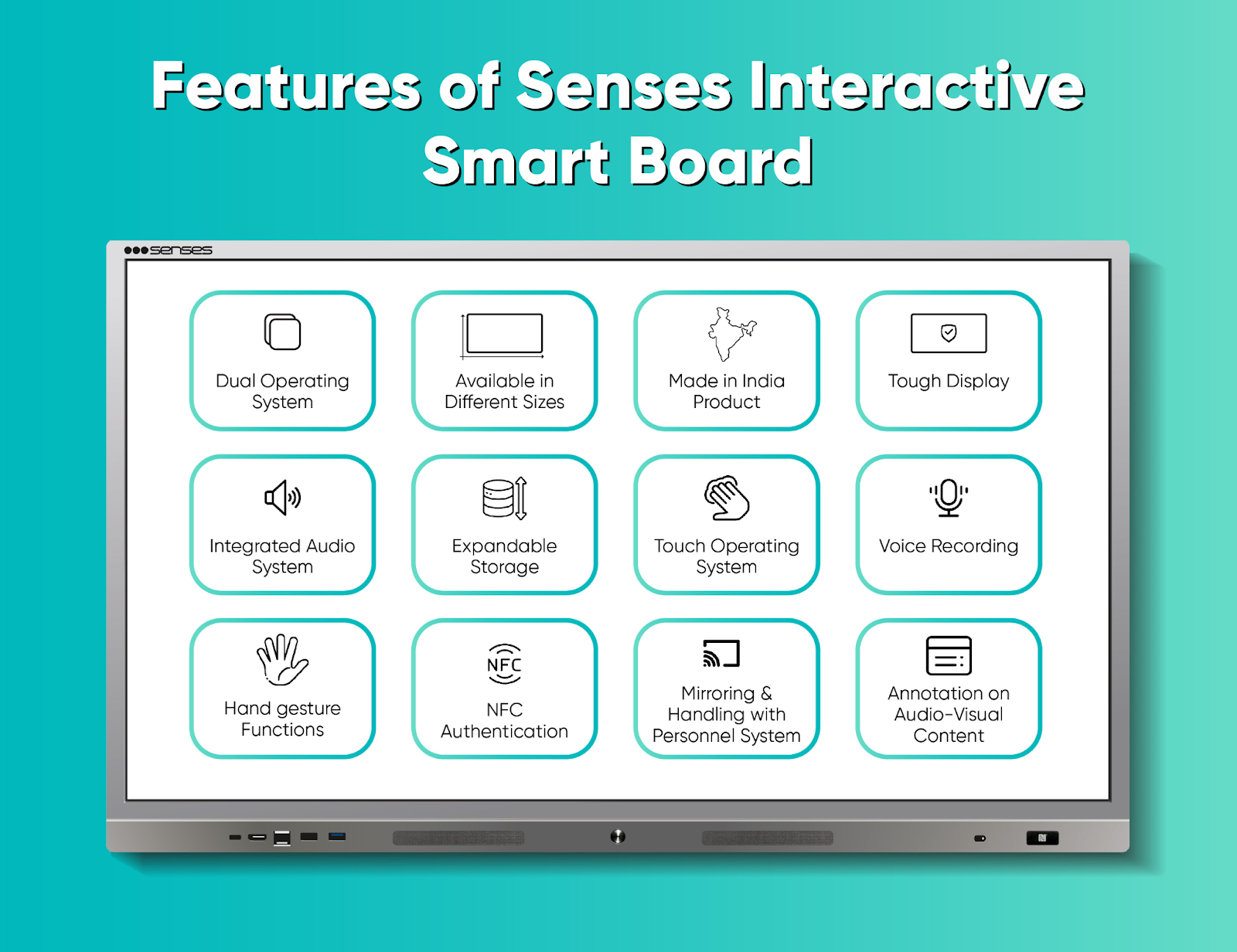
The Senses interactive panel boasts various features. Here, we have mentioned its top 12 features.
1. Interactive 4K Display
Senses interactive panels use high-resolution displays designed for classroom teaching.
A 4K display can make diagrams, educational videos, presentations, maps, images and digital textbooks easier to view on a large screen.
For teachers, the value of 4K is not simply sharper picture quality. It can also improve the readability of detailed educational content when the display is being viewed by an entire classroom.
2. Multi-Touch Interactive Writing
Interactive touch technology allows teachers to write directly on the panel rather than relying on a separate projector and traditional whiteboard.
Senses panels use infrared touch technology, with current product information highlighting support for multiple touch interactions and low-latency writing.
This allows teachers to:
- Write mathematical equations
- Draw diagrams
- Annotate presentations
- Highlight important information
- Interact with educational content
- Invite students to participate directly on the screen
3. Android and Windows Compatibility
Modern classrooms often require both Android applications and Windows-based software.
SenseEDGE 2.0 runs Android 16 and supports an optional Windows 11 OPS module. This allows institutions to use Android-based educational applications while retaining access to Windows software when required.
This flexibility can be useful for institutions that already use Windows-based educational or administrative applications.
4. Google EDLA Certification
Google EDLA certification is one of the notable features of the newer SenseEDGE 2.0.
The certification is designed to support access to Google’s ecosystem and educational applications on compatible interactive devices.
For schools, this can make the panel more useful as an Android-based classroom computing platform rather than simply a digital writing surface.
SenseEDGE 2.0 specifically combines Android 16 and Google EDLA certification as part of its next-generation platform.
5. Built-in 4K AI Camera
SenseEDGE 2.0 includes a built-in 4K AI camera with Auto Framing and Auto Zoom.
This can support:
- Hybrid classrooms
- Online teaching
- Video conferencing
- Remote lessons
- Classroom recording
- Teacher-student communication
Instead of installing a separate camera above the panel, the camera is integrated into the interactive display.
6. Made in India Product
The Senses interactive smart board is an indigenous product. Senses Electronics has its own software team, which has developed the SenseBoard software for the panel.
SenseBoard: The Teaching Software Behind the Senses Smart Board
Hardware alone does not create an effective smart classroom.
This is why SenseBoard is an important part of the Senses ecosystem.
SenseBoard is Senses Electronics’ interactive teaching software designed around classroom teaching workflows. The software allows teachers to write, draw, annotate documents, work with multimedia and access teaching tools directly from the interactive panel.
What Can Teachers Do With SenseBoard?
Teachers can use SenseBoard for:
- Digital writing
- Annotation
- Lesson explanation
- Multimedia teaching
- Interactive activities
- 3D educational content
- File insertion
- Multi-canvas teaching
- Saving and sharing lessons
- Revisiting previous classroom sessions
The objective is to reduce the need to switch constantly between separate applications during a lesson.
In the interactive panel’s intelligent software SenseBoard by Senses, you gain access to various tools. Here, we’ve listed the 11 most crucial tools of SenseBoard.
1. Multi Colour Pen
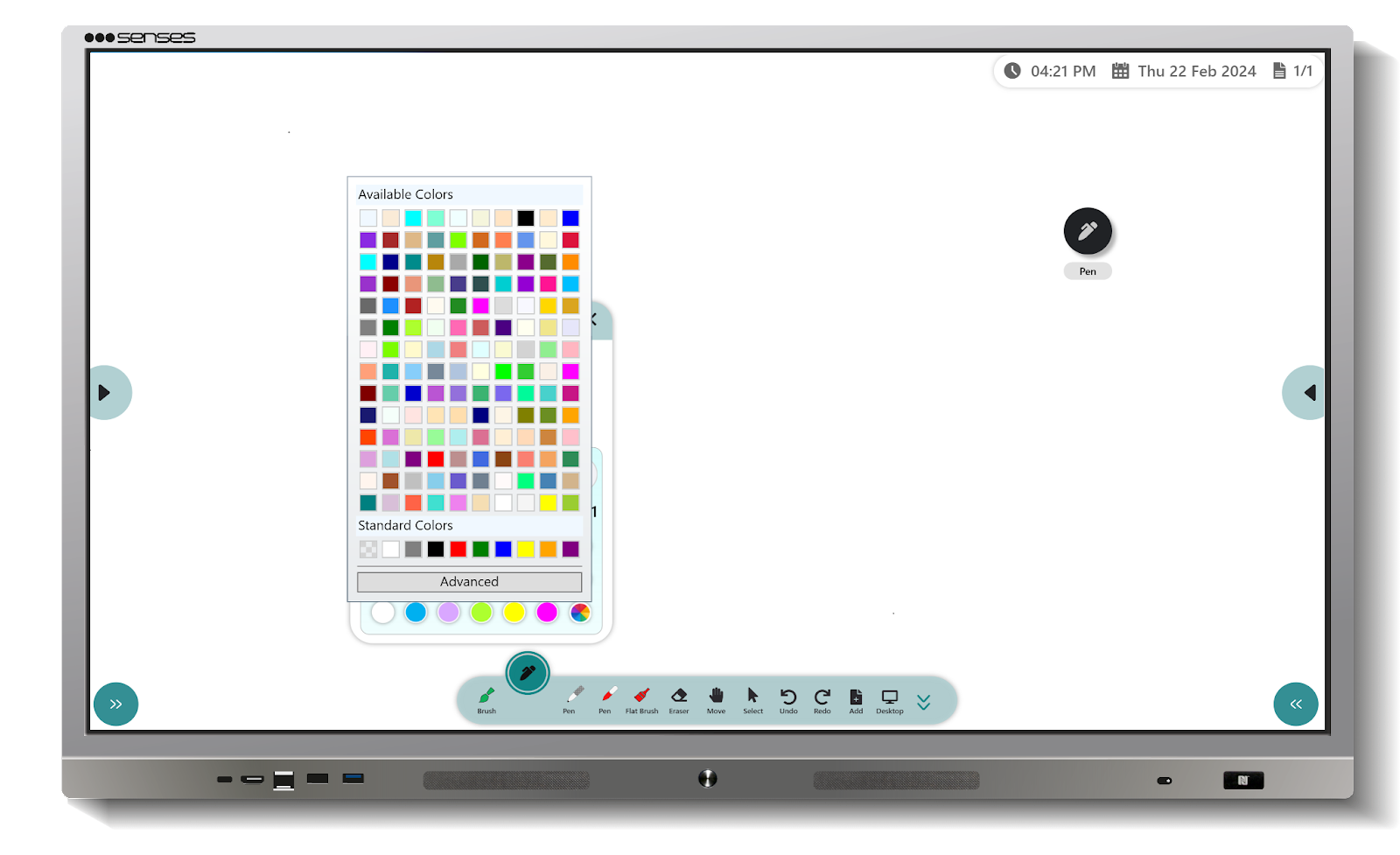
Interactive educational resources can help teachers explain concepts that are difficult to demonstrate using a traditional board.
Three-dimensional models can support subjects such as science, geography, mathematics and biology.
2. 3-D Models and Subject Tool
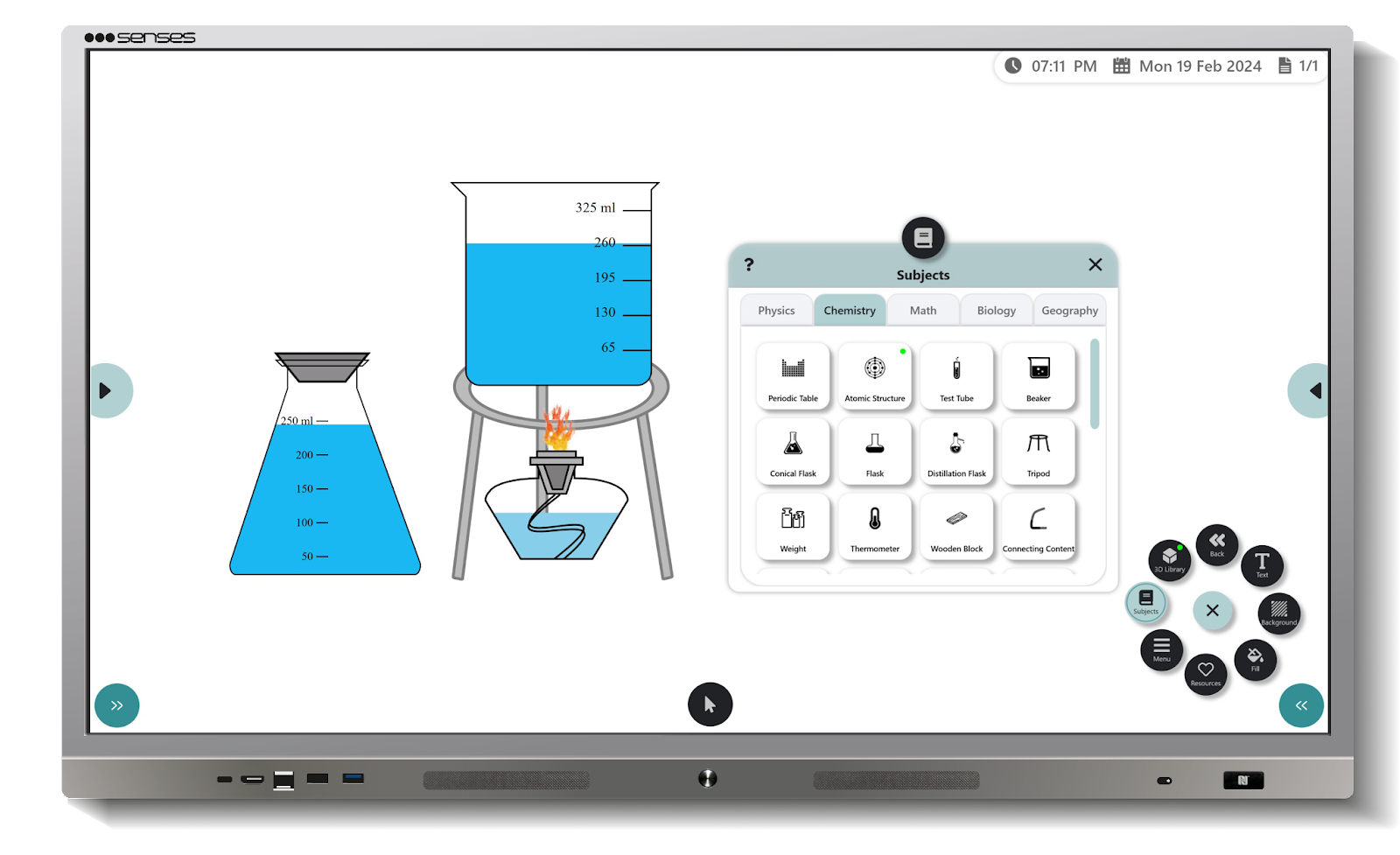
The 3-D models and subject tool allow you to add relevant images or icons on the board to efficiently explain classroom topics. In the 3D model and subject tool, you can find maps of geography, instruments for drawing mathematical models and shapes for mathematics, the human body, water energy, and other images and models for biology concepts, the periodic table, and atomic structures for teaching chemistry, beakers, flames, and numerous other components for physics. You’ll find elements for teaching students from grades k-12, organised subject-wise, on board.
3. Background of Board
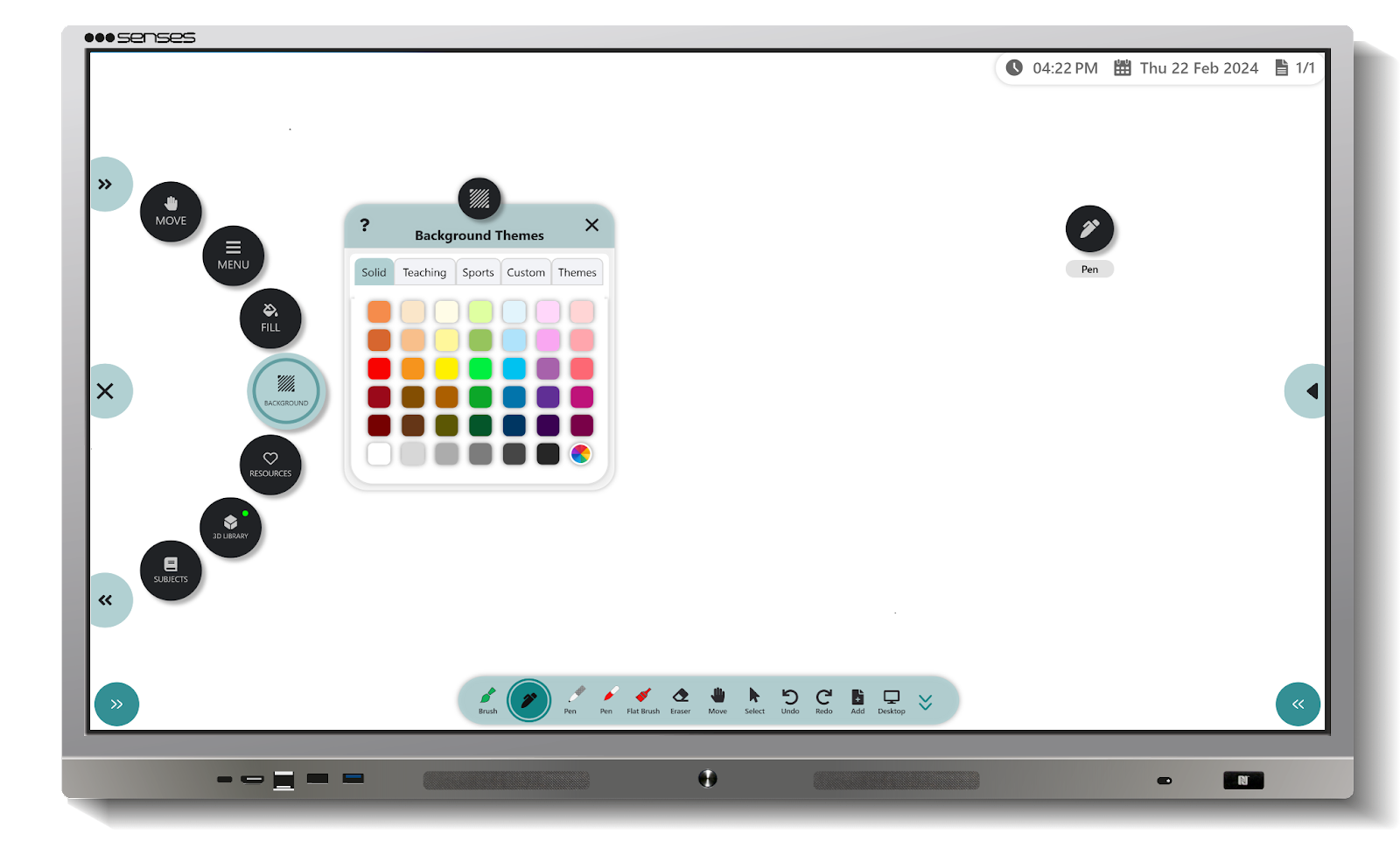
One of the exciting features of SenseBoard is that you can change the background colour of the board. Suppose you prefer to run a theme-based classroom, or a blackboard seems classic to you while teaching; you can choose the background according to your preference.
The SenseBoard offers various solid colour, theme-based, and subject-wise background options. You can also add any image or screenshot as the board’s background.
4. In-built AI Feature
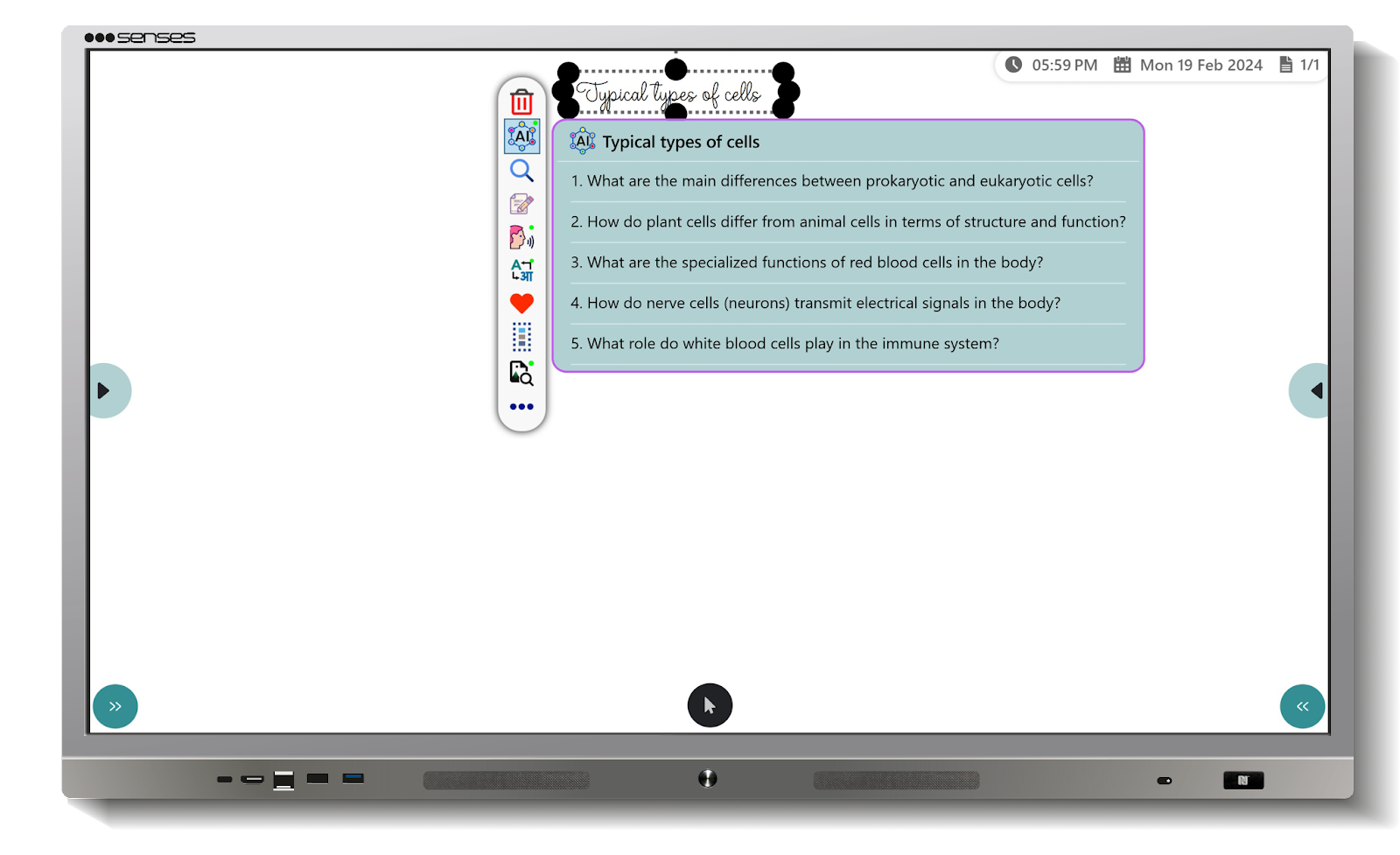
The SenseBoard panel incorporates AI features to harness the advantages of modern technology, machine learning, and artificial intelligence. These features include:
- Converting handwritten content into computer-generated text.
- Recognising shapes such as angles, circles, squares, rectangles, etc.
- Generating questions for selected topics.
- Creating content and explanations with AI voices.
- Using AI voice recognition for searching and writing.
- Translating text into more than 20 languages.
5. Board in Board
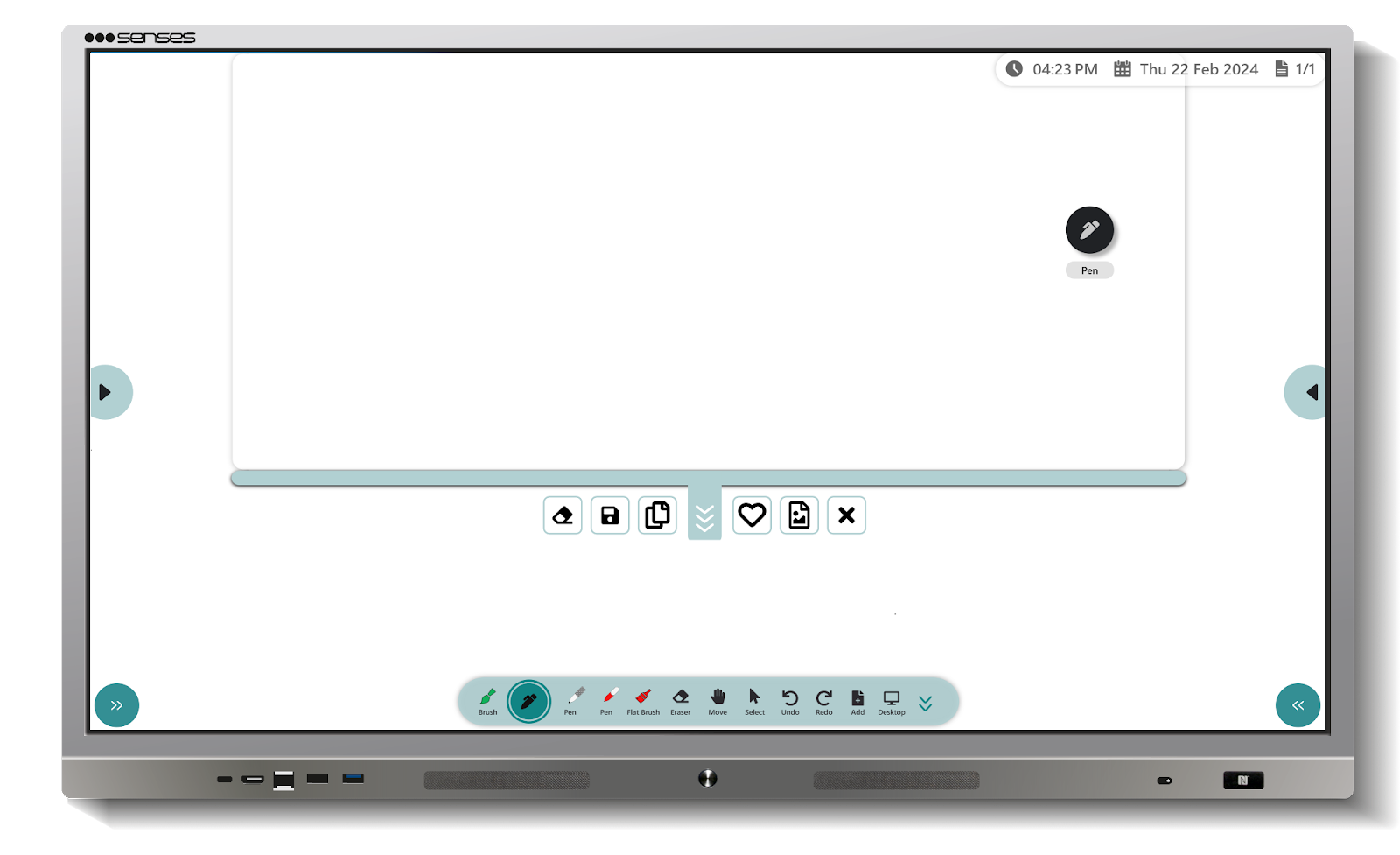
Board-in-Board allows teachers to introduce an additional digital writing area without abandoning the primary lesson canvas.
This can be useful when a student asks an unexpected question and the teacher wants to explain it without removing the main lesson content.
6. Split Screen
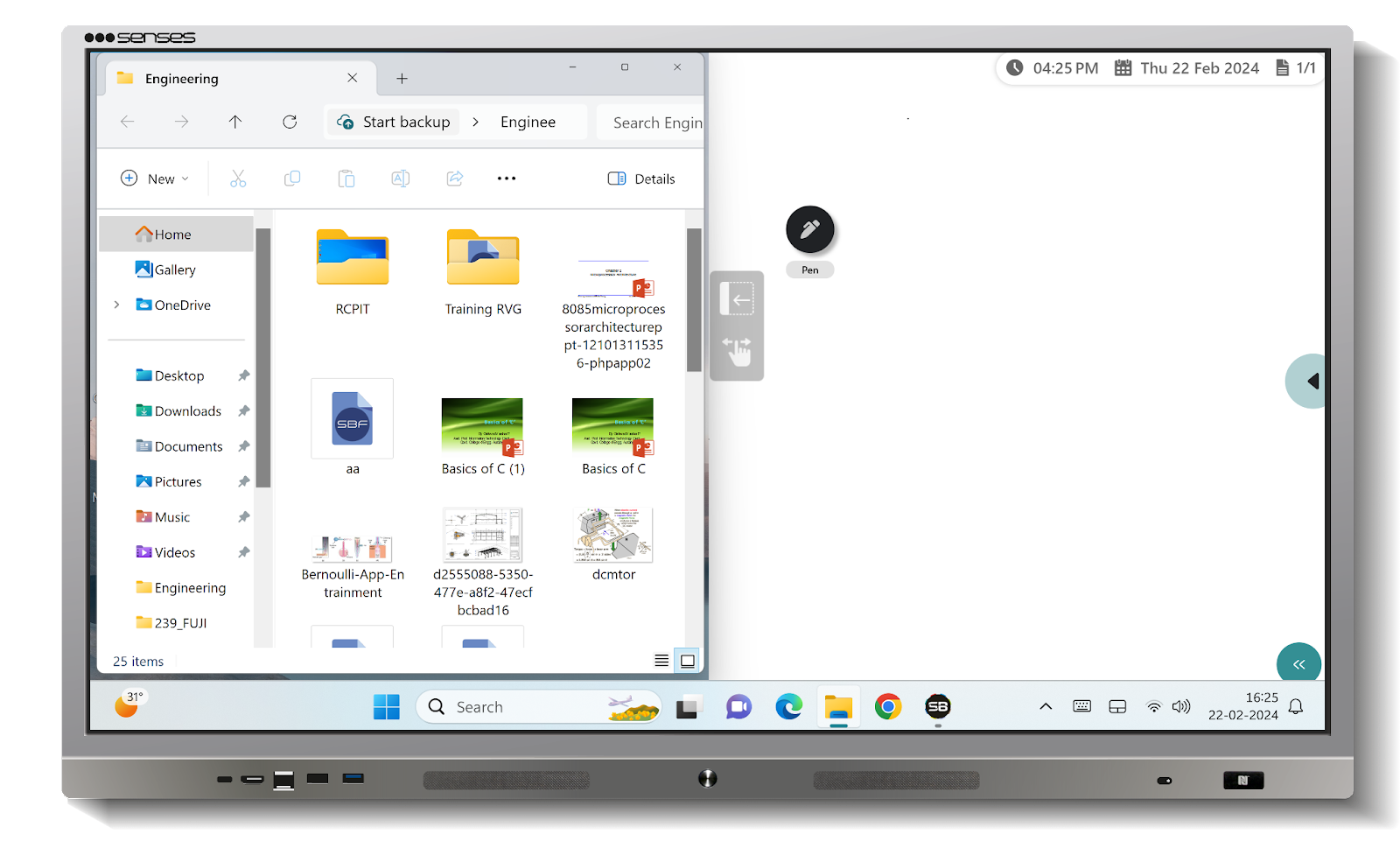
Split-screen functionality allows teachers to work with multiple content sources at the same time.
For example, a teacher can display reference material on one side while writing or explaining a concept on the other.
7. Multi Canvas
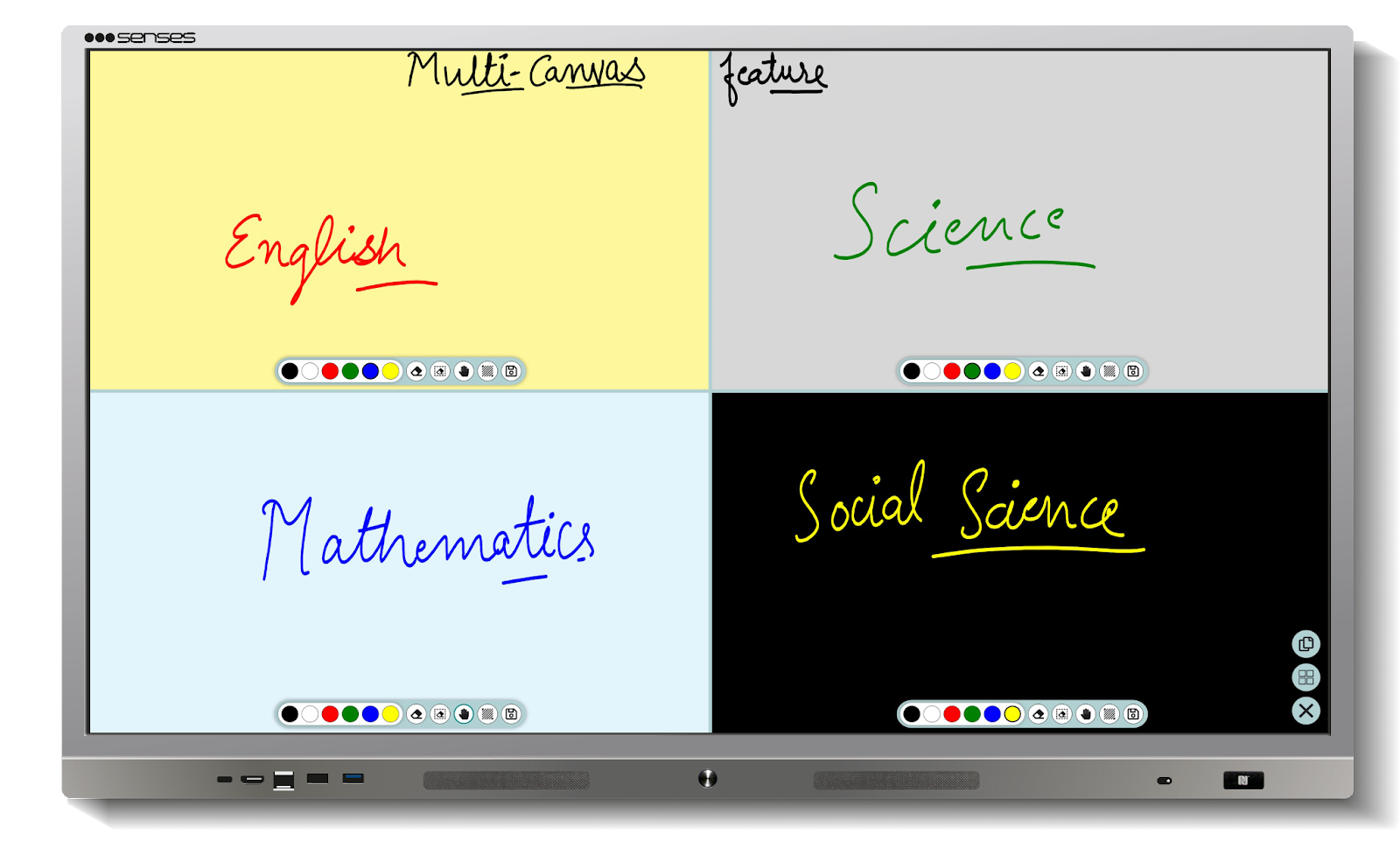
The multi-canvas option enables you to split the canvas into two, three parts, or four parts. This feature will help make your class interactive and engaging.
You can invite two or three students to the panel to solve an equation or question. Additionally, you can use the multi-canvas option to incorporate up to four types of backgrounds to teach any concept.
8. Insert File on board
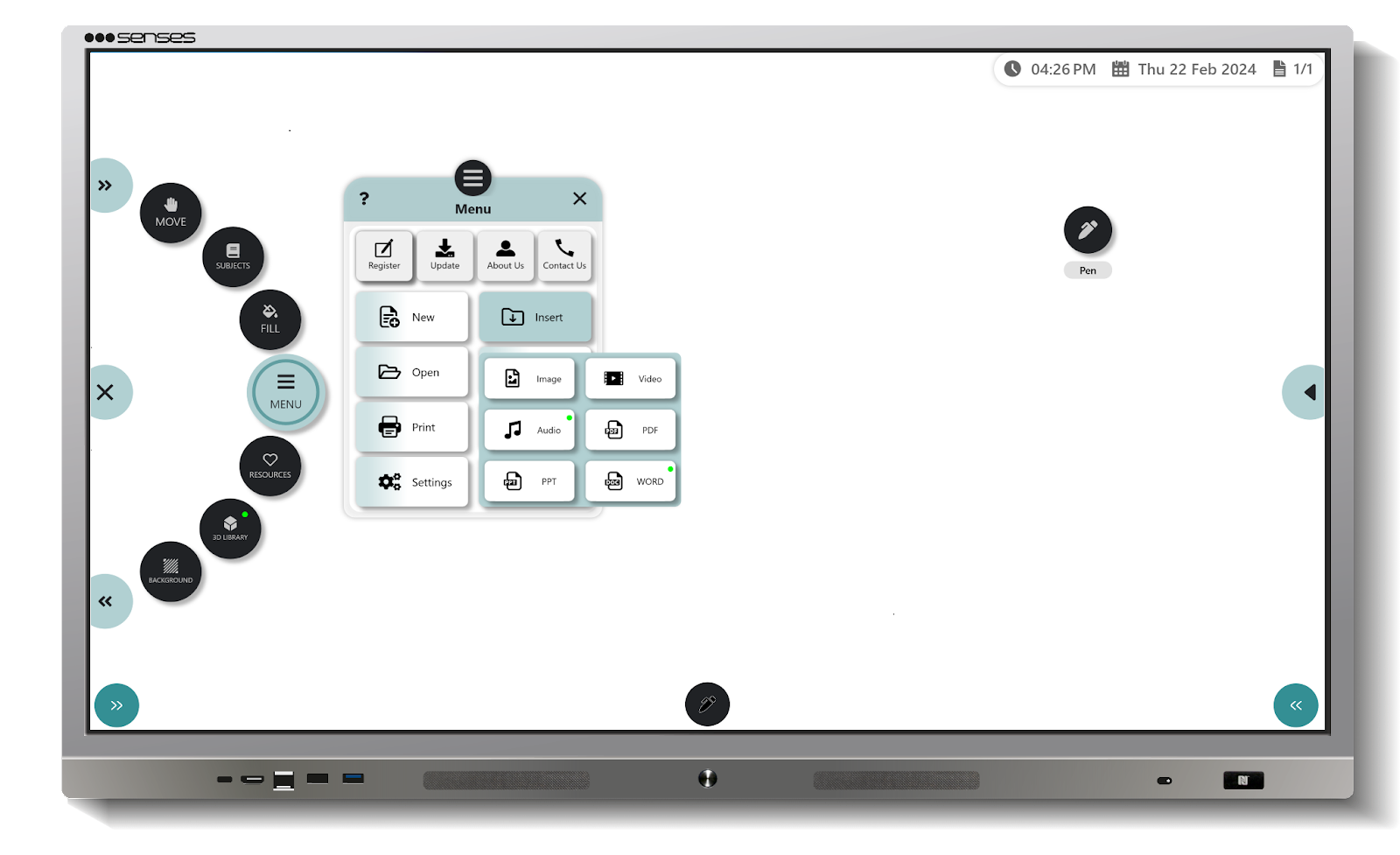
You can add videos, images, PDFs, and PPTs from the panel or cloud storage. You can also search directly through Google, YouTube, etc., and insert videos, audio, screenshots, and text on the board. On board, you can play and stop the videos while explaining, annotate them, and even take screenshots.
9. Direct Browsing
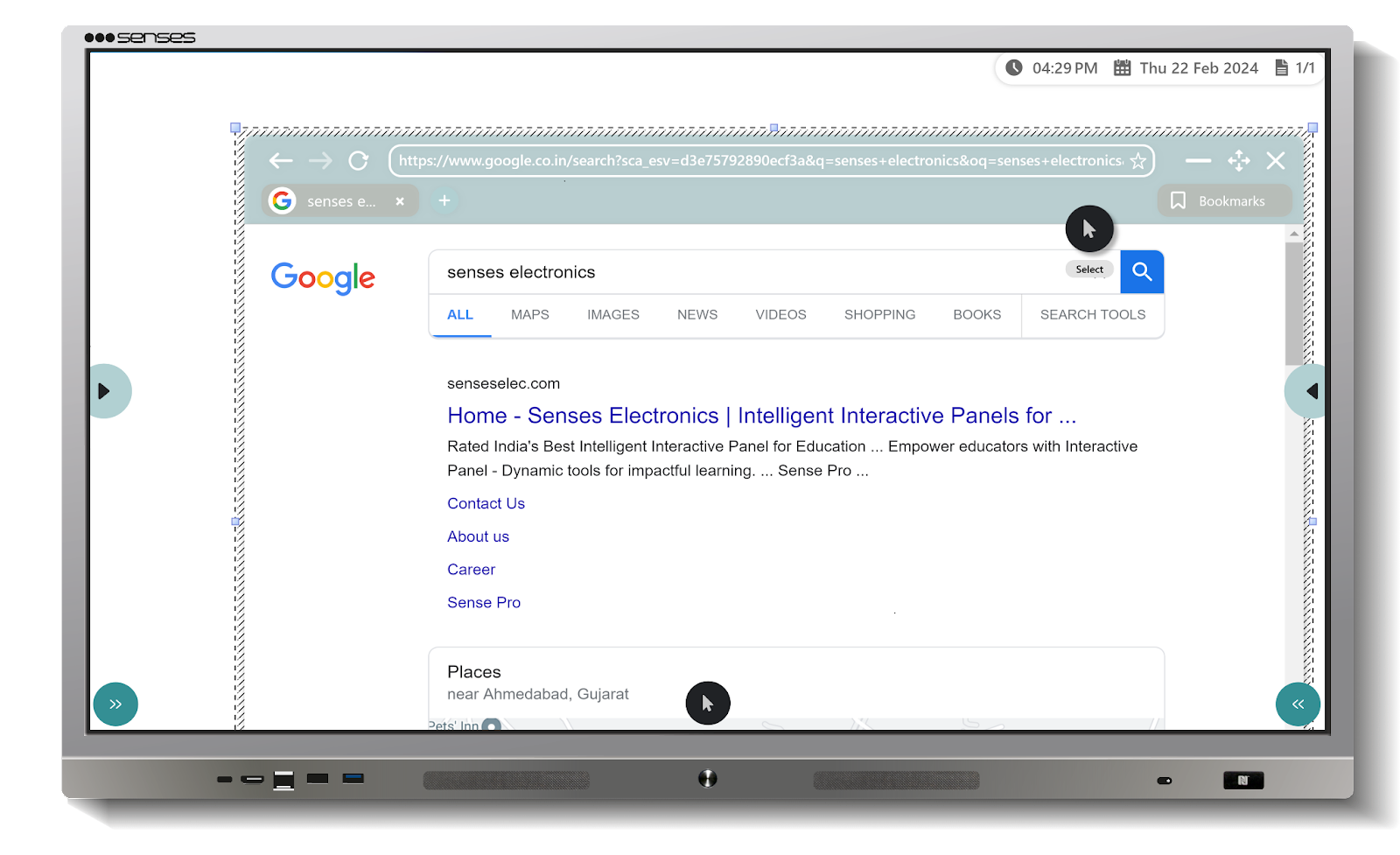
With the Senses smart board for teaching, you can browse directly. You just need to select a specific image, text, or video on the board and search for it. From the browsing results, you can bring screenshots, videos, photos, text, or anything essential to explain the topics onto the board. You can minimise the browser on the board for later use and remove it according to your needs.
10. Magnifier
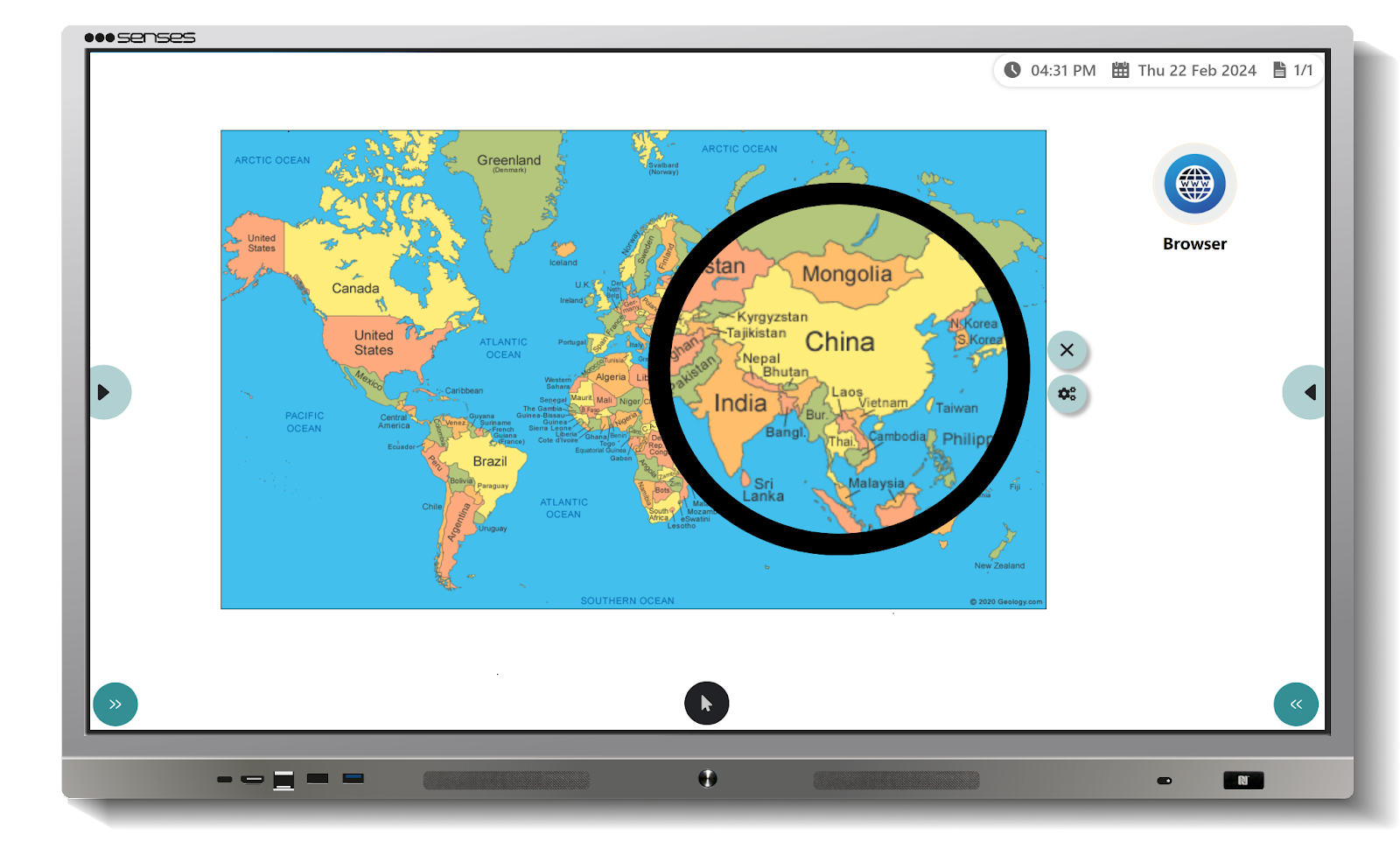
A magnifier is a crucial tool that magnifies any virtual object. Magnifier allows you to zoom in on a particular area to draw your students’ attention. You can also magnify physical objects using the Senses interactive panel camera , which you receive as an accessory with the panel.
By representing the physical object with a camera and magnifying it with this tool, you can explain specific sections in detail. For example, presenting a Table Globe on board helped students understand the border between China and India.
11. Save, Share and Revisit
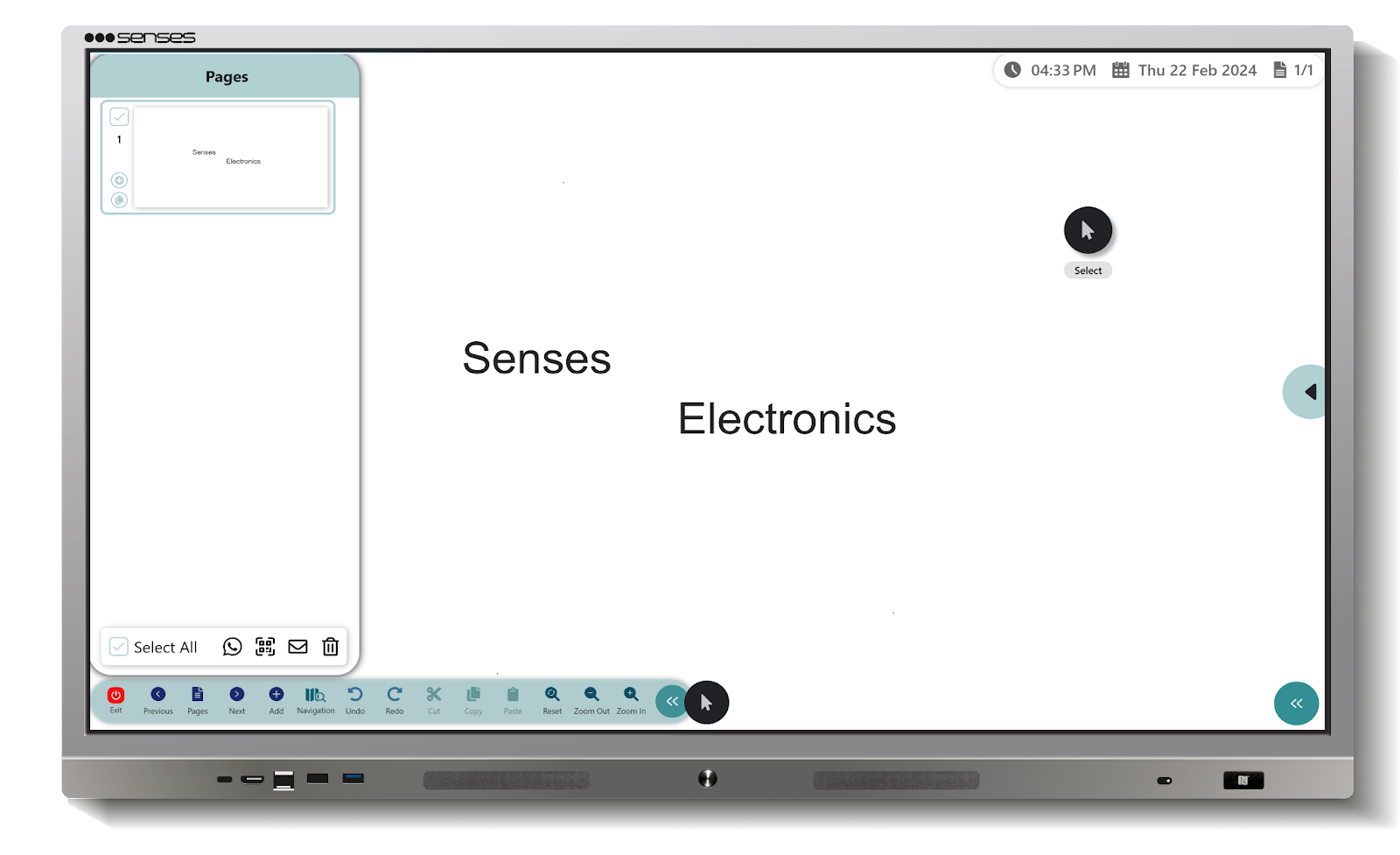
On SenseBoard, teaching alone doesn’t conclude a session. You can save the entire session in either PDF or editable format. Share the session with your students via email, WhatsApp, or QR code, or send it to them to aid their self-study in case any of them miss the class. Additionally, you can revisit the entire session to conclude it briefly. The Save, Share, and Revisit options eliminate several tasks such as revision, re-explanation of any concepts, and answering student queries, and among others.
We come to your site to demonstrate the interactive smart panel to your teachers, students, administrators, enabling you to make an informed decision about purchasing it for your students. Alternatively, You can watch our virtual demonstration to learn about the SenseBoard.
Besides these features, SenseBoard is embedded with other tools designed to transform teaching approaches. You can schedule a demo with us to learn more about them in detail or arrange in-person meetings.
Benefits of Using Senses Interactive Smart Board
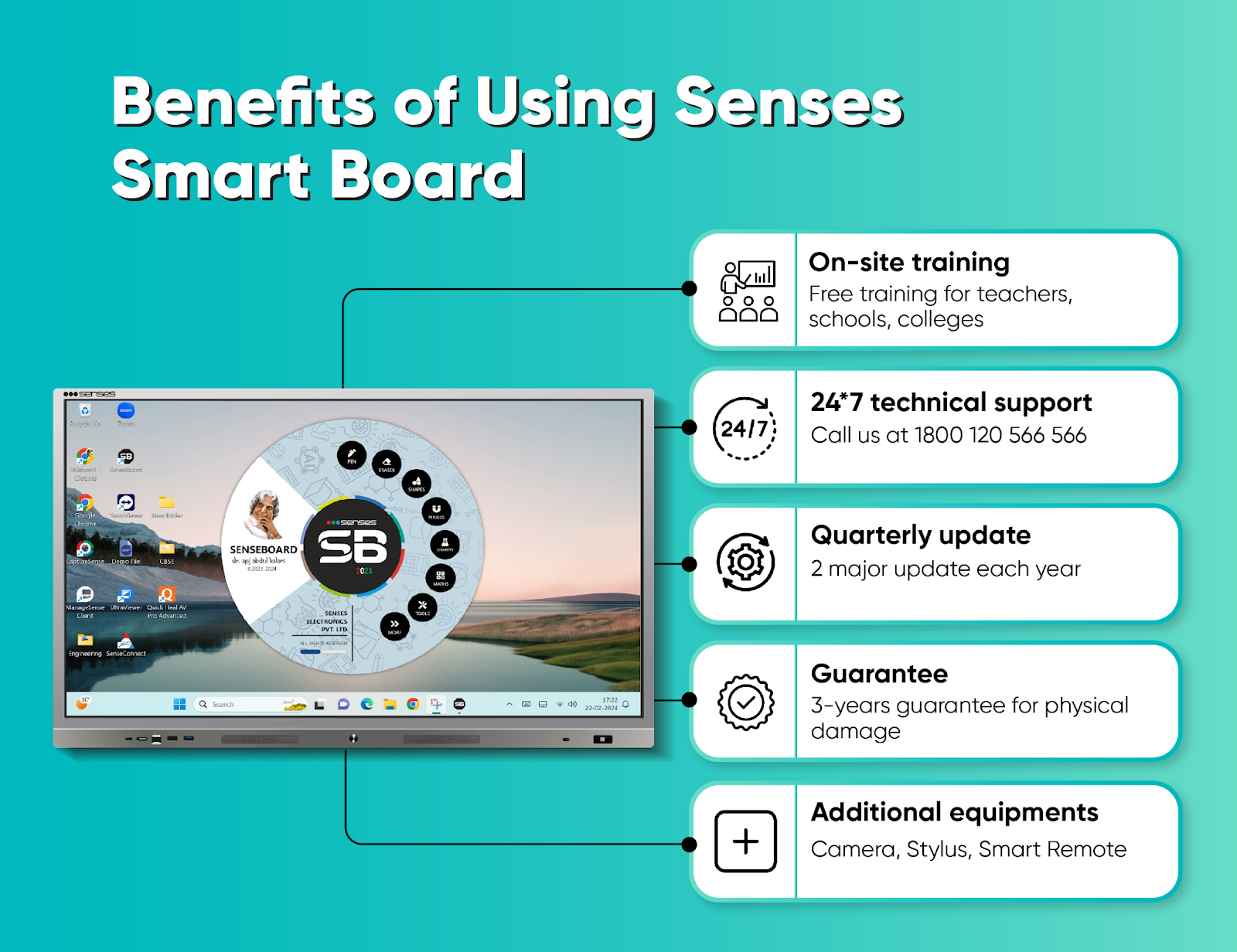
1. On-Site Training
Purchasing a smart device is not sufficient. It’s essential to fully leverage its benefits. Senses Electronics recognises this and offers on-site training for your teachers, enabling them to utilise the Panel to its maximum potential. You can avail of a training session with us at no cost.
2. 24*7 Technical Support
With our Senses, you don’t need to worry about technical glitches; our team is always ready to help you. Our 24/7 technical support and training team ensures that you can use our panel hassle-free.
3. Quarterly Update
Technology that isn’t updated regularly can become outdated. That’s why we provide quarterly updates to our users, including bug fixes, additional features, tools, and more. We offer two major updates each year.
4. 3-Year Guarantee
The Senses smart panel comes with a 3-year guarantee against any kind of physical damage, so you can make a purchase without any worries.
5. Receive additional equipments
With the Senses smart Panel, you receive a remote to operate the board, a classic stylus for writing and erasing, and a camera to manage the class efficiently. The camera enables the administration to monitor the classroom through the Sense Watch feature.
Furthermore, If you’re a teacher and would like an additional feature on the board, you can fill out the feedback form. Our team will consider adding it. If it is unique and has broader applicability, we’ll consider releasing it for everyone with our new updates. Your opinion and experiences are important to us and help in improving the teaching and learning panel.
Senses Interactive Smart Board: Support Beyond the Hardware
A classroom technology purchase does not end when the panel is installed.
Teacher adoption, training, installation and technical support are equally important.
Senses Electronics provides installation, training and post-sales support as part of its education-focused offering. The company also states that its support network operates across India.
This is particularly relevant for schools deploying interactive panels across multiple classrooms or campuses.
A smart board becomes valuable when teachers can confidently use it every day.
Conclusion: More Than an Interactive Display
A smart classroom needs more than a touchscreen. It needs technology that helps teachers teach, collaborate, use AI, share content and manage classrooms more easily.
Senses Electronics brings these capabilities together through its connected ecosystem of SenseEDGE, SensePRO and SenseEDGE 2.0, supported by SenseBoard, SensesAI, SenseConnect, SenseCapture, SenseWatch, SenseTalk, SenseManage and SenseEye.
All Senses interactive panels are backed by free teacher training, a 3-year on-site warranty and free lifetime software updates without subscription costs.
In simple terms:
Senses Interactive Panel → SenseBoard → SensesAI → Connected Classroom → Smarter Teaching
Explore the Senses interactive panel range or book a free demo to experience the ecosystem in a real classroom environment.
FAQ
A Senses interactive smart board is an interactive flat panel designed for educational environments. It combines a touchscreen display with classroom software, interactive teaching tools, AI capabilities and connected classroom solutions.
SenseEDGE 2.0 is a next-generation AI-powered interactive flat panel from Senses Electronics. It features Android 16, Google EDLA certification, Windows 11 OPS compatibility, a built-in 4K AI camera, SenseBoard and SensesAI.
SenseBoard is Senses Electronics’ interactive teaching software. It provides teachers with digital writing, annotation, multimedia, classroom resources and other teaching tools directly through the Senses interactive panel.
SensesAI is the AI-powered teaching layer within the Senses ecosystem. It can assist teachers with lesson plans, quizzes, summaries, explanations, images and classroom activities.
Senses Electronics offers SensePRO, SenseEDGE and SenseEDGE 2.0 interactive panels. The models differ mainly in display sizes, hardware configurations, audio capabilities and camera options.
Senses interactive panels run Android 16 and support Windows 11 OPS, allowing institutions to use Android-based educational applications as well as Windows software on the same panel.