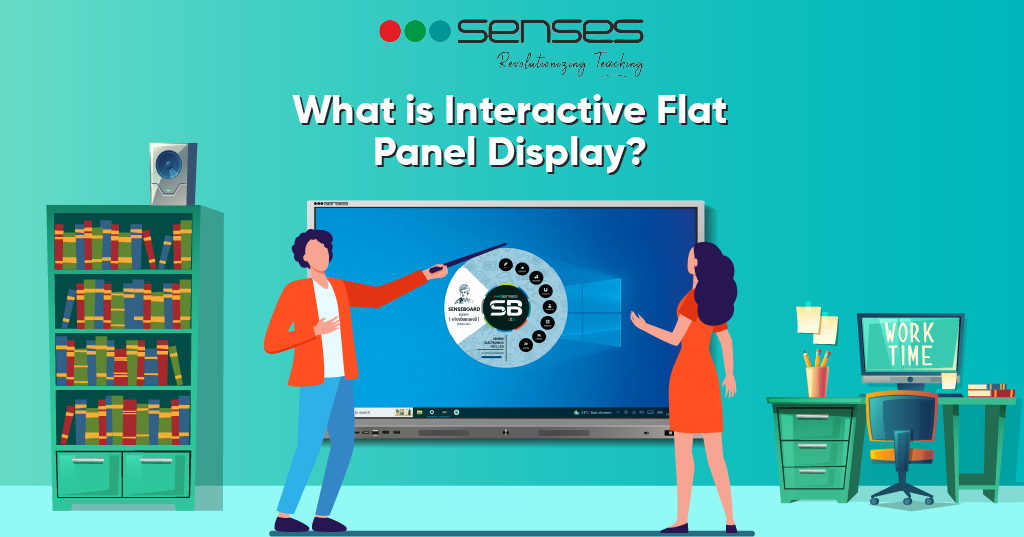
If you’re looking to get students to engage more during classes—then it might be time to replace that chunky old whiteboard with an interactive flat panel display. While the traditional whiteboards are great resources for delivering lectures, they fail to encourage student-led participation.
However, modern technology is not far from addressing this problem. The use of technology like a ‘smart interactive flat panel’ has helped teachers come far in narrowing this gap and promoting learning. According to Research and Markets, the global interactive flat panel market is projected to reach $12.8 billion by 2027, driven by increasing demand for interactive panels for classrooms and digital learning solutions.
Experience the power of interactive displays – Schedule Free Demo →
What is an Interactive Flat Panel Display?
An Interactive Flat Panel Display (IFP or IFPD) is a collaborative classroom solution designed to promote student learning and active participation. This advanced large touch screen monitor combines computing capabilities with multi-touch display technology, serving as a comprehensive classroom touch screen display for modern education.
According to the International Society for Technology in Education (ISTE), interactive flat panel displays increase student engagement by 65% compared to traditional teaching methods. These devices have built-in OS and integrated tools like text highlight, draw on screen, record attendance, and take notes—to name a few. This enables teachers to tailor lesson plans that best suit their students’ needs through wireless screen sharing and annotate screen capabilities.
Explore Senses Interactive Panel Features →
Features of Interactive Flat Panel
What is an interactive flat panel display without understanding its powerful features? IFP is known for the flexibility of its use. Teachers can simply display content such as videos, images, or drawing—to quickly grasp students attention and promote learning using this touch screen monitor for classroom.
Screen Display: Interactive Flat Panel Displays (IFPDs) offer a dynamic and immersive learning or collaborative experience with features such as ultra-fine 4K resolution, providing clear picture quality regardless of lighting conditions.
According to DisplayMate research, 4K resolution screens improve readability by 43% compared to standard HD displays. These digital touch screen TV displays facilitate a natural handwriting experience and boast optimized viewing angles, pixels, and brightness for a distortion-free view throughout the room.
Equipped with multi-touch capability, IFPDs support multi-user interactivity, often incorporating 10-point infrared technology for rapid response and fluent writing during simultaneous touch interactions. The multi-point touch screen technology enables collaborative work, while advanced object recognition touch screen capabilities differentiate between fingers, palms, and styluses.
The diversity in screen and display quality among IFPDs emphasizes the importance of exploring various options before purchasing, and consulting an interactive flat panel comparison guide can be invaluable in making an informed decision tailored to specific needs.
See multi-touch technology in action – Request Demo →
- Ease of Installation: Many IFPDs are designed for straightforward installation, minimizing the time and effort required to set up the classroom touch screen display in classrooms, meeting rooms, or collaborative spaces. This user-friendly installation process allows for quick integration into various environments, contributing to a seamless adoption of interactive technology for enhanced learning or collaborative experiences. Unlike traditional projectors that require complex mounting and calibration, these smart interactive flat panels offer plug-and-play functionality.
- Save On-Screen Content to the Cloud: IFPs save you the burden of saving files manually. You can simply move the on-screen content straight to the cloud using the built-in OS capabilities. Start your next lecture right from where you left off, accessing your materials through seamless cloud integration that supports Google Drive, OneDrive, and Dropbox.
- Higher Student Engagement: Since IFP comes with engagement features such as 3D drawings, videos and images—it makes learning more enjoyable. This is a great benefit in the learning arena so as to retain students’ attention better. Research from EdTech Magazine shows that classrooms using interactive panels for classrooms see 40% improvement in lesson comprehension and 55% increase in student participation rates. The wireless screen mirroring feature allows students to share their work instantly, creating a more collaborative environment.
Discover cloud-enabled interactive learning – Book Demo →

How is an Interactive Flat Panel Different from a Projector?
Typically, both the Interactive Flat Panel (IFP) and Projector—are great tools aimed at enhancing student learning within the classroom setup. Yet, understanding what is an interactive flat panel display compared to traditional projection systems reveals significant differences with regard to Installation, Touch Interaction and Image Quality.
- Installation: IFP is comparably much straightforward to set up since it’s an all-in-one device with integrated built-in OS. On the contrary, a projector involves more complex setup, including mounting the projector, aligning the image, and sometimes calibrating interactive elements.
According to Futuresource Consulting, this simplified installation saves schools an average of 4-6 hours per classroom setup.
- Touch Interaction: IFP allows direct touch interaction on the display surface through advanced multi-touch capability. This enables students to interact with content without additional accessories, using the touch screen TV with pen or their fingers naturally.
However, Projectors require additional interactive tools like interactive whiteboards or touch-sensitive surfaces for interaction. A study by Touch International found that direct multi-touch displays increase collaborative learning effectiveness by 72% compared to projected interactive surfaces.
- Image Quality: IFP offers high brightness and 4K resolution image quality directly on the display surface with consistent visibility. The flat panel touch screen maintains clarity regardless of ambient lighting conditions.
Projectors, on the other hand, are affected by ambient light, and brightness depends on the projector’s specifications. Research from Futuresource Consulting indicates interactive flat panel displays provide 85% better visibility in bright classrooms compared to projectors.
Overall, it depends on the classroom size and needs. If you run a small to medium sized classroom—then this smart interactive flat panel can allow you to use features like finger touch, write, and draw on it, thus promoting interaction through wireless screen sharing and annotate screen capabilities.
However, larger classroom sizes with lower budget can opt for projectors, with an interactive whiteboard, as they cover a larger space. A TechRadar analysis found that interactive flat panel displays save schools an average of $2,400 per unit over 10 years compared to projector systems due to minimal maintenance requirements.
Compare Senses Interactive Panels – View Product Range →
How can Interactive Flat Panel Facilitate Classroom Learning?
Understanding what is an interactive flat panel display extends to recognizing how these touch screen displays for teaching transform traditional teaching methods into a dynamic, adaptive, and inclusive educational experience that caters to the needs and preferences of modern learners.
Engaging Content Delivery
IFPs empower teachers to go beyond traditional methods by incorporating multimedia content through wireless screen sharing. Teachers can use vibrant visuals with 4K resolution, interactive simulations, and educational videos to make lessons more captivating and tailored to the diverse interests of students.
Research from The Learning Accelerator shows multimedia content delivered through interactive panels for classrooms increases information retention by 45%.
Hands-On Participation in Learning
The touch-sensitive surface with multi-point touch screen technology turns the classroom into an interactive space. Students can directly engage with content on the classroom touch screen display, solving problems, manipulating digital objects, and actively participating in lessons. This hands-on approach enhances comprehension and retention.
The touch screen TV with pen feature provides precision for detailed work and mathematical equations.
Instant Feedback and Assessment
Interactive quizzes and polls conducted on IFPs provide immediate feedback to both teachers and students. This allows educators to gauge understanding in real-time, adjust their teaching strategies, and address any misconceptions promptly.
According to Educational Testing Service (ETS) research, real-time assessment through interactive flat panel displays improves learning outcomes by 32%.
Transform your assessment strategies – Schedule Demo →
Access to Online Resources
IFPs with internet connectivity and built-in OS open the door to a wealth of online resources. Teachers can seamlessly integrate current information, virtual field trips, and educational websites into their lessons through wireless screen mirroring, keeping content relevant and up-to-date.
This transforms the digital touch screen TV into a gateway for global learning experiences.
Digital Annotations and Note-Taking
Teachers can annotate screen content directly on the IFP during lessons, highlighting key concepts or elaborating on specific points.
Students can also participate by making digital notes, fostering a collaborative and organized learning environment. A Cornell University study found that digital annotation increases active learning engagement by 58% compared to traditional note-taking methods.
Customizable Lesson Plans
IFPs provide tools like text highlight, drawing features, and note-taking options, giving teachers the flexibility to adapt lesson plans in real-time. This customization ensures that lessons cater to the specific needs and pace of the students.
The smart interactive flat panel becomes a dynamic teaching assistant that responds to classroom needs.
Learn more about effective lesson planning with interactive technology.
Explore hybrid learning solutions – Learn More →
Factors to Consider Before Switching to Interactive Flat Panel Display
Switching to an Interactive Flat Panel Display is a big investment. We get it. But there’s no need to panic—as we might provide a few tips to get started when considering what is an interactive flat panel display purchase for your institution.
When planning an Interactive Flat Panel (IFP) initiative, identify must-have and nice-to-have features based on teacher input. Tailor the IFP to meet your specific teaching styles and preferences.
Prioritize features like a versatile whiteboard, multi-source annotation, cloud sync, screen recording, screencasting, personalized profiles, and robust security. According to Gartner research, 67% of businesses using interactive flat panel displays report improved meeting productivity when these core features are properly implemented.
Consider the total cost of implementing IFPs, including potential hidden expenses beyond the initial purchase of your large touch screen monitor. Research from Futuresource Consulting indicates that while interactive flat panel displays have higher upfront costs, they deliver 65% lower total cost of ownership over 10 years compared to projector systems due to minimal maintenance and no consumable parts.
Opt for IFPs with a user-friendly interface and multi-touch capability, allowing educators to “walk up and start teaching” without extensive setup. Conduct demos to assess sign-in speed, navigation simplicity, wireless screen sharing connectivity with devices, and compatibility with digital curriculum or online tools.
The object recognition touch screen technology should feel intuitive and responsive during hands-on testing.
Get expert implementation guidance – Contact Us →

What is an Interactive Flat Panel Display from Senses?
Deliver interactive and collaborative learning right at the tip of your fingers, with Senses smart interactive flat panels. Serving 4000+ schools with 50000+ installations and 70% market share, Senses technology is here to empower you regardless of the size of your school. Our classroom touch screen display solutions combine advanced 4K resolution, professional annotate screen tools, seamless wireless screen mirroring, and powerful built-in OS in elegant, reliable packages.
You can draw on-screen, add images, or highlight text using our intuitive multi-point touch screen interface. Make lesson notes quickly with our touch screen TV with pen support that feels natural and responsive. Let students interact with the content through multi-touch capability that supports up to 20 simultaneous touch points, perfect for collaborative group work on our flat panel touch screen displays.
Our complete range includes solutions for every space: Senses 65 Inch Interactive Flat Panel for small classrooms, Senses 75 Inch Interactive Flat Panel for medium-sized rooms, Senses 86 Inch Interactive Flat Panel for larger classrooms, and Senses 98 Inch Interactive Flat Panel for auditoriums and training centers.
Each model features wireless screen sharing, 4K resolution, and comprehensive touch screen display for teaching capabilities.
Our touch screen monitor for classroom solutions are backed by industry-leading warranties and 24/7 technical support.
Schedule a free demo with Senses today and discover why we’re India’s leading provider of touch screen TV for business and education solutions!
Frequently Asked Questions
An Interactive Flat Panel Display (IFPD) is a large touch screen monitor that combines multi-touch capability, 4K resolution visuals, built-in OS, and computing power in an all-in-one device. This smart interactive flat panel enables direct interaction with digital content through touch, wireless connectivity, and cloud integration, perfect for classrooms, boardrooms, and collaborative spaces. Research shows interactive flat panel displays increase engagement by 65% compared to traditional teaching methods.
Interactive flat panel displays feature integrated computing with built-in OS, 4K resolution, and advanced multi-touch capability, while traditional smart boards typically require external computers and projectors. Smart interactive flat panels offer superior image quality, wireless screen sharing, and require significantly less maintenance.
Wireless screen sharing on interactive flat panel displays uses protocols like AirPlay, Miracast, and Chromecast to mirror device screens without cables. The wireless screen mirroring feature allows multiple devices to connect simultaneously, enabling seamless content sharing from laptops, tablets, and smartphones to the classroom touch screen display.
For small classrooms with 15-20 students, a 65-inch touch screen monitor for classroom works best. Medium classrooms with 20-35 students benefit from 75-86 inch interactive panels for classrooms. Large spaces with 35+ students require 86-98 inch large touch screen monitors. Calculate optimal size using the formula: viewing distance equals screen diagonal multiplied by 1.5 to 2.5.
Multi-touch capability allows multiple users to interact simultaneously with the multi-touch display. Most interactive flat panel displays support 10-20 touch points, enabling collaborative work on the multi-point touch screen. Advanced object recognition touch screen technology can differentiate between fingers, palms, and styluses for precise control and natural writing with a touch screen TV with pen.
Most smart interactive flat panels include built-in OS (typically Android) with pre-installed educational software. They support standard apps, cloud services, and wireless screen sharing without additional software. However, specialized applications can be installed to enhance annotate screen capabilities and collaborative features for your classroom touch screen display.
4K resolution (3840 × 2160 pixels) on interactive flat panel displays provides crystal-clear text, detailed images, and vibrant colors visible from all classroom positions. Research shows 4K resolution screens improve readability by 43% and reduce eye strain, making classroom touch screen displays more effective for extended use compared to standard HD displays.
Quality interactive flat panel displays typically last 50,000-100,000 hours, approximately 10-15 years of classroom use. Unlike projectors requiring frequent bulb replacements, smart interactive flat panels maintain image quality throughout their lifespan, making them more cost-effective touch screen displays for teaching with minimal maintenance needs.
Yes, interactive flat panel displays integrate seamlessly with existing technology through wireless screen sharing, HDMI, USB, and other standard connections. The built-in OS supports most educational apps and learning management systems, making classroom touch screen displays highly compatible with current infrastructure without requiring complete technology overhauls.
For most classrooms, yes. Interactive flat panel displays offer superior image quality unaffected by ambient light, direct multi-touch capability, no maintenance, and integrated computing with built-in OS. While projectors have lower initial costs, smart interactive flat panels provide better total value, 85% better visibility, and 40% higher student engagement according to educational technology research.
Related Resources
- 10 Intelligent Features Every Interactive Panel Must Have
- What is a Smart Classroom? Complete Guide
- Smart TV vs Smart Board: Which is Better?
- Electronic Board for Teaching: Benefits & Features
- 5E Lesson Plan Model for Interactive Learning
- Effective Lesson Planning with Interactive Technology
Ready to experience interactive learning? Schedule Your Free Demo Today →